
 AutoCaptions
 AutoCut Podcast
 AutoZoom
 AutoViral
 AutoB-Roll
 AutoCut Repeat
 AutoProfanity Filter
 AutoChapters
 AutoResize
 도움 센터
도움 센터 블로그
블로그 Discord
 YouTube
 앰배서더
앰배서더Alternate Section
Step-by-Step
How does it work?
Step 1
Select your prompt style
Choose your audio language and set an AI prompt style to guide the generated visuals
Step 2
Detect B-Roll sections
Add B-rolls with AI detection for faster integration, or manual selection for complete control
Step 3
Add B-Rolls
Insert stock footage from Pexels or Storyblocks or generate custom AI visuals. AutoB-Rolls places everything directly into your timeline
Bento Section
Features
Explore more of AutoCut
Dive into our 9 AI-powered features to elevate your content.

AutoCut Silences
AutoCut Silences eliminates pauses, enhancing video dynamics for a more captivating experience.

AutoCaptions
AutoCaptions generates animated captions and translates them instantly — boosting the dynamism and engagement of your videos.

AutoCut Podcast
AutoCut Podcast automates speaker recognition and camera switching for quick multicam podcast editing.

AutoZoom
AutoZoom applies smart and perfectly timed zooms to boost engagement and storytelling.

AutoCut Repeat
AutoCut Repeat identifies content repetitions and preserves only the best takes.

AutoResize
AutoResize adapts sequences to social formats, smartly keeping subjects centered.

AutoProfanity Filter
AutoProfanity masks profanities with sound effects, ensuring content integrity.

AutoB-Rolls
AutoB-Rolls uses AI to enrich your edits with perfectly integrated stock footage.

AutoViral
AutoViral identifies key segments in long videos for creating short-form content.

FAQ Section
Support
About AutoB-Rolls
Yes! AutoB-Rolls allows you to generate AI-customized images and short clips directly from your instructions. You can effortlessly mix them with stock footage to fill gaps in your editing.
For now, AutoB-Rolls connects to Pexels and Storyblocks to give you access to a wide variety of high-quality video footage.
AutoB-Roll automatically inserts relevant stock footage — using AI-generated images or videos available in the library. Follow our step-by-step guide.
Testimonial Section
Testimonials
Hear our customers voices
AutoCut Podcast 기능은 훌륭하며, 제 비디오에서 여러 분을 줄일 수 있었습니다. 비록 비라이브 팟캐스트를 녹음하거나 나중에 다시 게시하고 싶다면 확실히 가치가 있습니다. 제가 몇몇 팟캐스트 비디오에 이 기능을 사용해 보았는데, 정말 잘 작동했습니다

Lucas Bones
편집 후 수정이 필요하더라도 절약되는 시간이 마음에 듭니다. 저는 주로 AutoZoom과 Silences를 사용합니다.

Matthew Pierce
AutoCut Silences는 시간을 절약해 줍니다. 제가 손가락 하나 까딱하지 않고도 모든 정적 공간을 잘라냅니다. 특히 긴 비디오에서 제 작업 흐름을 빠르게 하는 데 완벽합니다

Ambassador Media - Photography and Videography services
AutoCut을 DaVinci Resolve와 함께 사용하면 제 비디오 편집 작업 흐름이 완전히 바뀌었습니다. 예전에는 몇 시간이 걸리던 작업—특히 침묵을 잘라내거나 자막을 동기화하는 작업—이제는 단 몇 분이면 끝납니다. 애니메이션 캡션은 놀라울 정도로 정확하고, 통합이 매끄럽고 직관적입니다. 반복적인 작업에서 수십 시간을 쉽게 절약할 수 있었고, 덕분에 스토리텔링과 창의적인 방향에 더 집중할 수 있게 되었습니다. 시간을 소중히 여긴다면 이 도구는 게임 체인저입니다.

Ampliato Digital is a marketing agency specialized in paid traffic, social media management, and high-converting landing pages. We help businesses grow through strategic online campaigns and data-driven results.
콘텐츠 제작자로서 저는 종종 침묵을 수동으로 잘라내고 단어별로 자막을 추가하는 데 몇 시간을 보냅니다. AutoCut을 사용하면 모든 것이 자동으로 처리되어 믿을 수 없을 만큼 많은 시간을 절약할 수 있습니다. AI 기반의 정밀함은 부드러운 전환을 보장하며, 직관적인 인터페이스 덕분에 초보자도 쉽게 사용할 수 있습니다. YouTube, 소셜 미디어 또는 전문 프로젝트를 위해 편집하든, AutoCut은 게임 체인저입니다

AutoChapters는 제가 YouTube에 게시하는 방식을 완전히 변화시켰습니다. 이전에는 챕터를 배치할 위치를 찾기 위해 전체 비디오를 수동으로 검토해야 했습니다. 이제는 몇 초 만에 모든 작업이 완료되며, 결과는 매우 정확합니다. 비디오당 최소 한 시간을 절약할 수 있습니다 — 주간으로 업로드할 때는 정말 큰 변화입니다!

Peter McBean
“AutoCut은 제 편집 작업 흐름을 완전히 간소화해주었습니다. 예전에는 몇 시간이 걸리던 작업—특히 침묵과 점프 컷을 제거하는 것이—이제는 몇 분 만에 끝납니다. 이 플러그인은 매우 직관적이고 빠르며 정확합니다. 정밀함을 희생하지 않고 시간을 절약해주므로, 영상 콘텐츠 작업을 하는 누구에게나 필수적인 도구입니다. 강력히 추천합니다!”

AutoCut은 내 작업 흐름을 완전히 변화시켰습니다. 예전에는 몇 시간이 걸리던 일이 이제는 몇 초 만에 끝납니다. 줌이나 B롤을 추가해야 하나요? 1분도 안 걸려서 완료됩니다. 완전히 게임 체인저입니다!

Vedank Mohan
저는 AutoCut을 강력히 추천합니다. 가격, 기능 및 B-Roll 기능이 뛰어납니다. 저는 AutoCut을 사랑합니다. 이 도구는 저에게 엄청난 도움을 주었고 무수한 작업 시간을 절약해 주었습니다

Alemi Creative
AutoCut은 다양한 편집으로 나에게 수많은 시간을 절약해 주었습니다. 개인적으로 가장 좋은 점은 편집 소프트웨어에서 편집 내용을 유지하여 효율적인 작업 흐름을 유지할 수 있는 자유를 준다는 것입니다

AutoCut Podcast 기능은 훌륭하며, 제 비디오에서 여러 분을 줄일 수 있었습니다. 비록 비라이브 팟캐스트를 녹음하거나 나중에 다시 게시하고 싶다면 확실히 가치가 있습니다. 제가 몇몇 팟캐스트 비디오에 이 기능을 사용해 보았는데, 정말 잘 작동했습니다
Lucas Bones
편집 후 수정이 필요하더라도 절약되는 시간이 마음에 듭니다. 저는 주로 AutoZoom과 Silences를 사용합니다.
Matthew Pierce
AutoCut Silences는 시간을 절약해 줍니다. 제가 손가락 하나 까딱하지 않고도 모든 정적 공간을 잘라냅니다. 특히 긴 비디오에서 제 작업 흐름을 빠르게 하는 데 완벽합니다
Ambassador Media - Photography and Videography services
AutoCut을 DaVinci Resolve와 함께 사용하면 제 비디오 편집 작업 흐름이 완전히 바뀌었습니다. 예전에는 몇 시간이 걸리던 작업—특히 침묵을 잘라내거나 자막을 동기화하는 작업—이제는 단 몇 분이면 끝납니다. 애니메이션 캡션은 놀라울 정도로 정확하고, 통합이 매끄럽고 직관적입니다. 반복적인 작업에서 수십 시간을 쉽게 절약할 수 있었고, 덕분에 스토리텔링과 창의적인 방향에 더 집중할 수 있게 되었습니다. 시간을 소중히 여긴다면 이 도구는 게임 체인저입니다.
Ampliato Digital is a marketing agency specialized in paid traffic, social media management, and high-converting landing pages. We help businesses grow through strategic online campaigns and data-driven results.
콘텐츠 제작자로서 저는 종종 침묵을 수동으로 잘라내고 단어별로 자막을 추가하는 데 몇 시간을 보냅니다. AutoCut을 사용하면 모든 것이 자동으로 처리되어 믿을 수 없을 만큼 많은 시간을 절약할 수 있습니다. AI 기반의 정밀함은 부드러운 전환을 보장하며, 직관적인 인터페이스 덕분에 초보자도 쉽게 사용할 수 있습니다. YouTube, 소셜 미디어 또는 전문 프로젝트를 위해 편집하든, AutoCut은 게임 체인저입니다
AutoChapters는 제가 YouTube에 게시하는 방식을 완전히 변화시켰습니다. 이전에는 챕터를 배치할 위치를 찾기 위해 전체 비디오를 수동으로 검토해야 했습니다. 이제는 몇 초 만에 모든 작업이 완료되며, 결과는 매우 정확합니다. 비디오당 최소 한 시간을 절약할 수 있습니다 — 주간으로 업로드할 때는 정말 큰 변화입니다!
Peter McBean
“AutoCut은 제 편집 작업 흐름을 완전히 간소화해주었습니다. 예전에는 몇 시간이 걸리던 작업—특히 침묵과 점프 컷을 제거하는 것이—이제는 몇 분 만에 끝납니다. 이 플러그인은 매우 직관적이고 빠르며 정확합니다. 정밀함을 희생하지 않고 시간을 절약해주므로, 영상 콘텐츠 작업을 하는 누구에게나 필수적인 도구입니다. 강력히 추천합니다!”
AutoCut은 내 작업 흐름을 완전히 변화시켰습니다. 예전에는 몇 시간이 걸리던 일이 이제는 몇 초 만에 끝납니다. 줌이나 B롤을 추가해야 하나요? 1분도 안 걸려서 완료됩니다. 완전히 게임 체인저입니다!
Vedank Mohan
저는 AutoCut을 강력히 추천합니다. 가격, 기능 및 B-Roll 기능이 뛰어납니다. 저는 AutoCut을 사랑합니다. 이 도구는 저에게 엄청난 도움을 주었고 무수한 작업 시간을 절약해 주었습니다
Alemi Creative
AutoCut은 다양한 편집으로 나에게 수많은 시간을 절약해 주었습니다. 개인적으로 가장 좋은 점은 편집 소프트웨어에서 편집 내용을 유지하여 효율적인 작업 흐름을 유지할 수 있는 자유를 준다는 것입니다
Horizontal Text Media Section
Community
Join our Power Users Program now
We’ve created exclusive WhatsApp groups by feature, spaces where you can connect directly with our co-founders and exchange with fellow advanced editors. Join the group(s) you use the most and take part in shaping AutoCut together.

Review Section
Testimonials
AutoCut Reviews
See what editors are saying about AutoCut

We used to juggle multiple accounts across different editors—now, with AutoCut Enterprise, everything is centralized. Our team works faster, and support is always available when we need it.
We used to juggle multiple accounts across different editors—now, with AutoCut Enterprise, everything is centralized. Our team works faster, and support is always available when we need it.
Banner Section
14일 무료 체험을 시작하세요
지금 AutoCut으로 편집 프로세스를 향상시키세요 !
Pricing Section
Pricing
Find a plan matching your needs
Simple, transparent pricing. No hidden fees.
연간
25% 할인
월간


 StoryBlocks)
Latest Blogs Section
Blog
Read our latest posts
Find the newest AutoCut updates, tutorials & creator stories.

Update
2026-07-03
AutoCut 2026년 6월 업데이트: 더 빠른 AI, 새로운 사용자 인터페이스 및 더 똑똑한 편집
Premiere Pro와 DaVinci Resolve를 위한 최신 AutoCut 개선 사항을 살펴보세요. 여기에는 더 빠른 AI 처리, 재설계된 인터페이스, 그리고 보다 개인화된 편집 경험이 포함됩니다

Review
2026-05-27
어떤 플랫폼이 욕설로 인해 동영상을 수익화 중단하나요?
어떤 플랫폼이 욕설로 인해 동영상을 수익 창출 중단하는지 알아보고, 편집자가 AutoCut의 AutoProfanity Filter를 사용하여 Premiere Pro와 DaVinci Resolve 내에서 자동으로 욕설을 검열하는 방법을 알아보세요

Review
2026-05-20
프리미어 프로에서 침묵을 제거하는 최고의 AI 도구 (2026)
프리미어 프로에서 침묵과 공백을 제거하는 최고의 AI 도구를 알아보세요. 워크플로우를 비교하고, 편집 시간을 절약하며, 팟캐스트 또는 토킹 헤드 편집을 자동화하세요
Main Hero Section
Automate your manual tasks and save hundreds of hours
Accomplish numerous time-consuming tasks in seconds with AutoCut's AI features

Remove 100 silences in 3 seconds

Add 5 minutes of animated subtitles in 10 seconds

Edit 1-hour podcasts in 1 minute

Add 50 zooms in 30 seconds

Add 30 B-rolls in 1 minute
Remove 70 repetitions in 1 minute

All features are free - No credit card required
 Silences
 Captions
 Podcast
 Viral
ViralSecondary Hero Section
Compatible with


AutoB-Rolls
Bring your edits to life with AutoB-Rolls Instantly match the right stock clips or generate custom visuals with AI
14-day free trial - No credit card required!

AI Visuals
Generate missing shots with AI-customized images and videos

Effortless enrichment
Automatically enhance your video with premium footage from Storyblocks or Pexels

AI Precision
Use AI to match stock clips to your audio, ensuring a cohesive edit
Gallery With Text Images
Some of our features
Power Users Program


Gallery With Text Images (
Swiper Section



Discover Section
Check our latest improvement about AutoB-Rolls
Help Center Categories Section
Support
Check our help center
Learn how to use AutoCut easily
Carousel Section
Clients
They trust AutoCut
Meet some of our clients


Install Steps Section
How to use our stock sources inside AutoB-Rolls ?
Insert B-rolls
Insert B-rolls automatically or select them from our stock libraries

Select you language
Choose your language

Use B-rolls detection
Launch our B-rolls detector

Reddit Section
Promotional offer
We're now on Reddit !
As we are now lauching our Reddit account, let's get connected ! Provide your Reddit user name to get a free trial of 45 days !

Updates
Discover AutoCut latest updates
Tutorials, interviews, reviews
AutoCut이 이제 아랍어 (현대 표준 아랍어)로 완전히 제공됩니다.
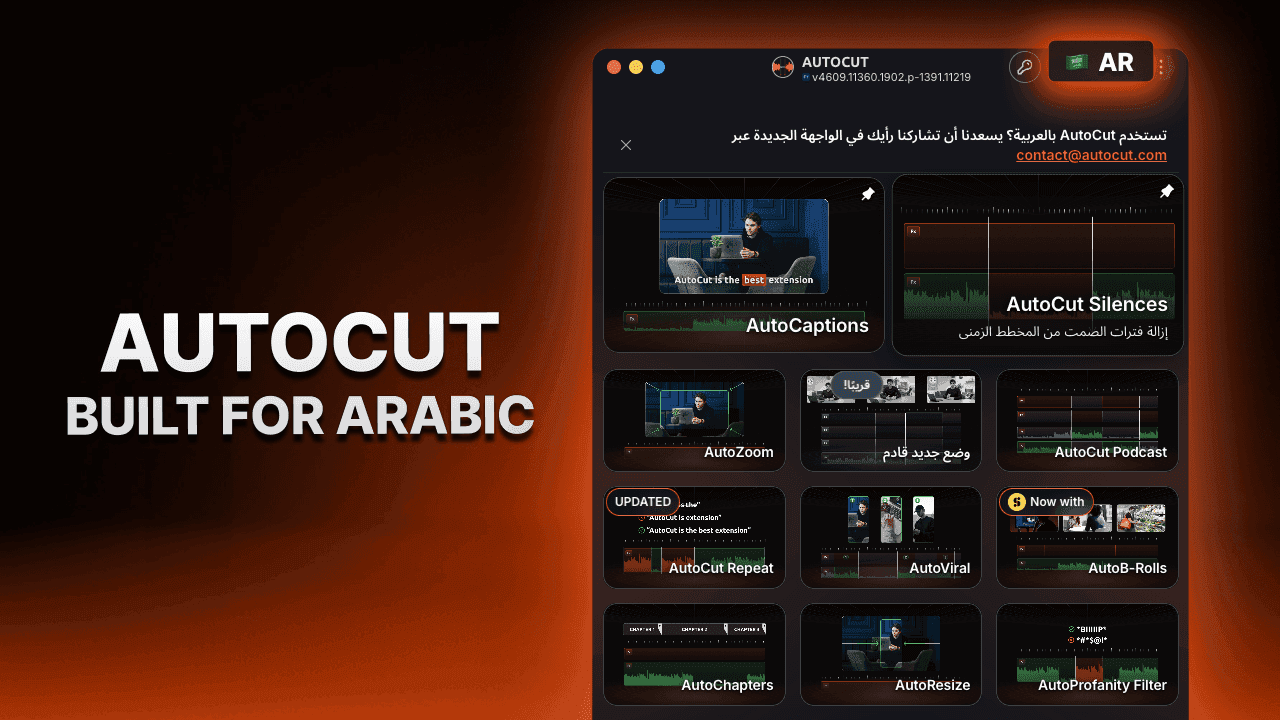
이것은 단순한 번역된 인터페이스가 아닙니다. AutoCut은 아랍어를 사용하는 편집자들에게 자연스러운 경험을 제공하기 위해 완전히 적응되었습니다.
- 아랍어를 위해 제작됨
전체 인터페이스는 오른쪽에서 왼쪽으로 (RTL) 읽기 및 탐색을 지원하도록 재설계되었습니다.
메뉴, 대화상자, 설정 및 플러그인의 모든 부분이 아랍어 읽기 습관에 맞게 신중하게 조정되어 매끄럽고 직관적인 편집 경험을 제공합니다.
- 자동 언어 감지
AutoCut은 이제 시작 시 운영 체제 언어를 자동으로 감지합니다.
운영 체제 언어가 지원된다면, AutoCut은 즉시 해당 언어로 열리며, 별도의 설정이 필요하지 않습니다.
아직 사용 가능한 언어가 없다면, AutoCut은 자동으로 영어로 돌아갑니다.
- 더 많은 접근성을 위한 AutoCut
이번 업데이트는 전 세계 편집자들이 진정한 네이티브 경험을 제공받을 수 있도록 AutoCut을 접근 가능하게 만드는 또 하나의 단계입니다.
모든 사용자에게 지금 사용 가능합니다.
AutoCut은 이제 터키어와 폴란드어로 완전히 제공됩니다.
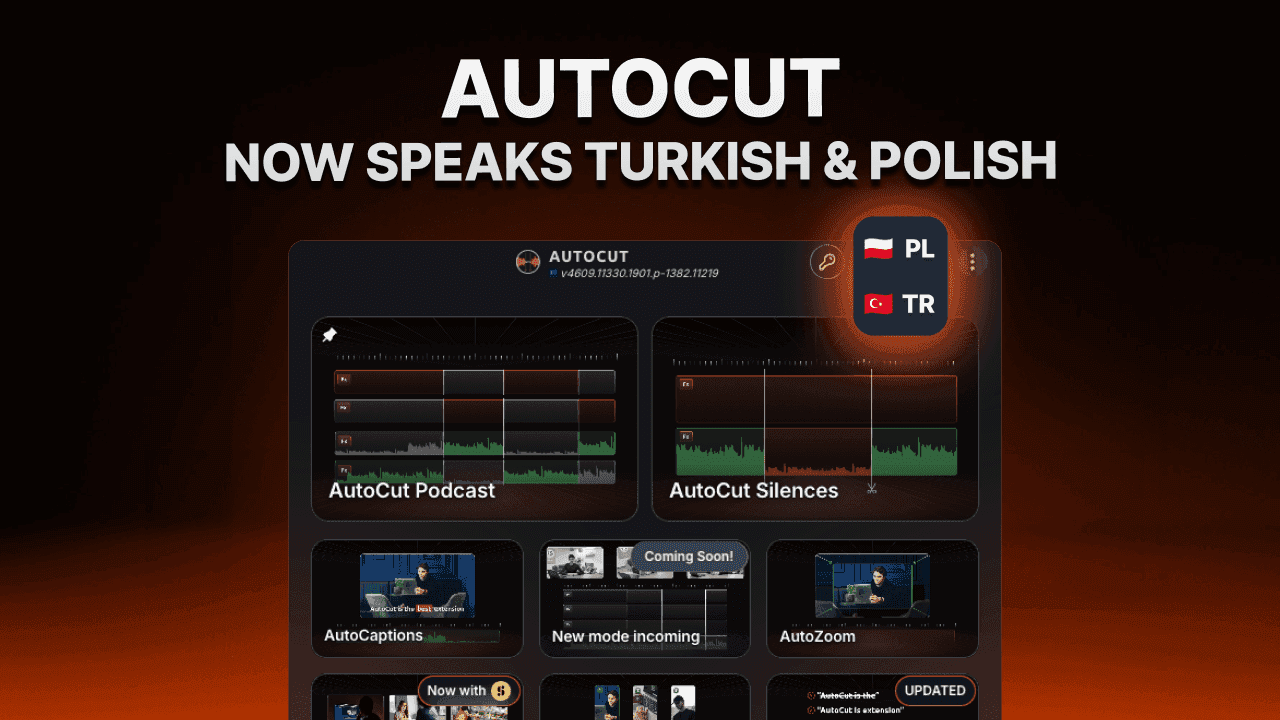
지금까지, 터키어와 폴란드어는 전사, 캡션 및 번역과 같은 AI 기반 기능에 대해 이미 지원되었습니다. 오늘부터 전체 AutoCut 인터페이스가 두 언어로 제공됩니다.
- 완전히 현지화된 경험
메뉴, 설정, 대화상자, 기능 이름 및 인터페이스의 모든 부분이 번역되어 AutoCut을 원어민에게 더 직관적으로 만들었습니다.
침묵을 제거하든, 캡션을 생성하든, 팟캐스트를 편집하든, 바이럴 클립을 만들든, 이제 자신의 언어로 AutoCut을 완전히 사용할 수 있습니다.
- 커뮤니티 주도 업데이트
이번 현지화는 우리의 터키 및 폴란드 커뮤니티에서 가장 많이 요청된 개선 사항 중 하나였습니다.
우리는 전체 제품에서 지원되는 언어를 지속적으로 확장하여 AutoCut을 모든 제작자가 접근할 수 있도록 만드는 데 전념하고 있습니다.
모든 사용자에게 지금 제공됩니다.
Process with CTA Section
AutoCut Success Story
Launch of AutoCut
New plugin for video editors on Premiere Pro
New feature : AutoCaptions
Add animated captions instantly
YOU WILL LOVE IT
Vertical Hero Section
Product Hero Banner

AutoCut
AutoCut now speaks German and Italian
Info Banner Section
#EB5A26F1F1F2
Get AutoCut now
Catalog Section


AutoCaptions
premium
Automatically add animated captions to your videos in seconds. Create word-by-word captions in 80+ languages, styled your way! Can generate and translate captions in over 80 languages

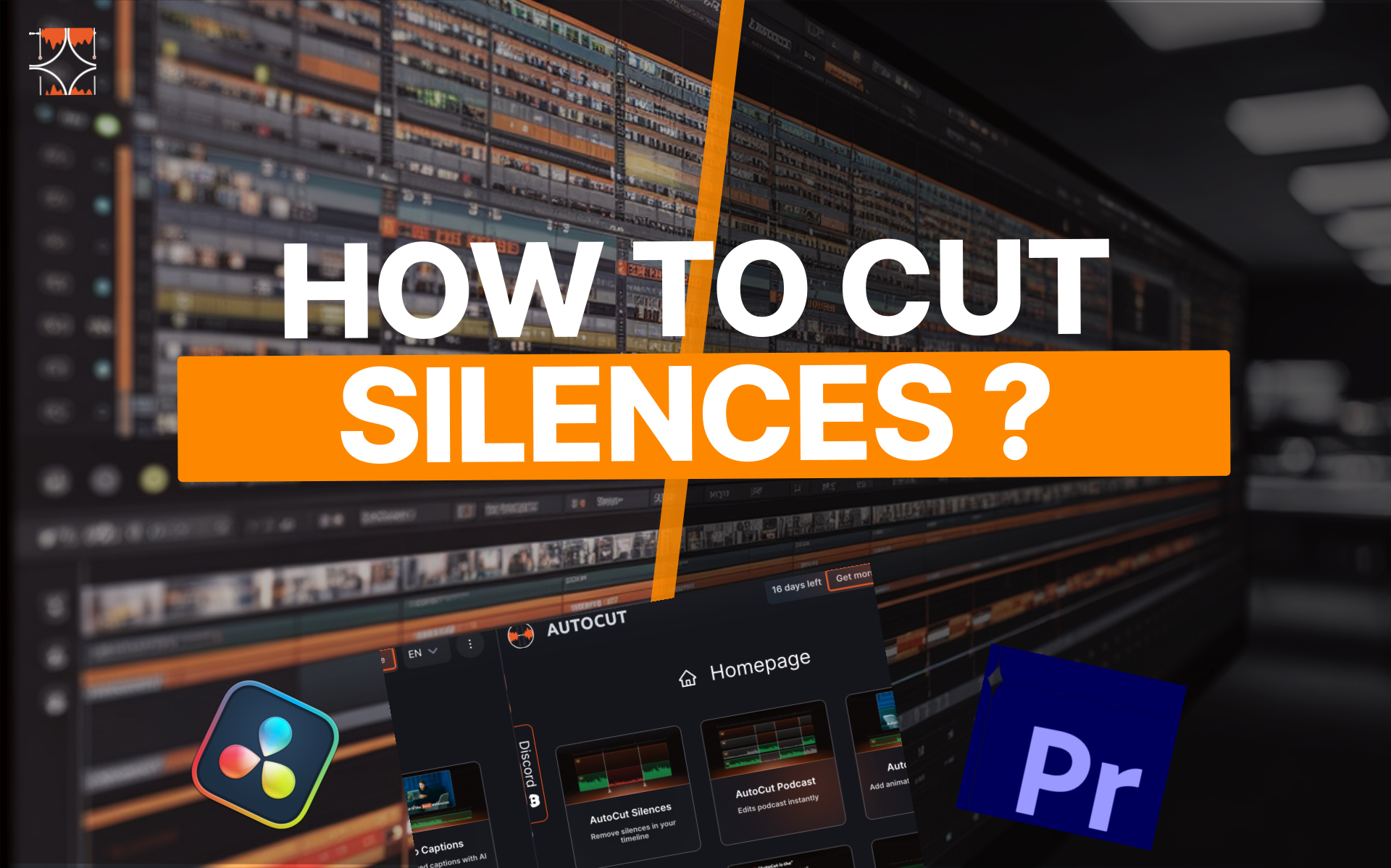

AutoCut Silences
Effortlessly remove silences from your videos in a click. Optimized to create seamless and engaging content! Customize advanced settings to achieve your desired output (natural or dynamic). Fine-tune which tracks are analyzed for precision cuts.

AutoB-Rolls
Bring your edits to life with AutoB-Rolls Instantly match the right stock clips or generate custom visuals with AI. Generate missing shots with AI-customized images and videos
Text with Title Section
Adobe Partner
AutoCut is an official Adobe partner, built to work seamlessly within the Adobe ecosystem. As a trusted plugin for Adobe Premiere Pro, AutoCut follows Adobe’s technical standards to deliver a reliable, native, and professional editing experience — helping editors work faster without disrupting their workflow.
Youtube Preview Section
Installation
How to install AutoCut ?
Watch this quick step-by-step tutorial to get AutoCut up and running in seconds.
Text Section
AutoCut is an AI-powered video editing plugin for Adobe Premiere Pro and DaVinci Resolve. It automates time-consuming tasks like cutting silences, adding animated captions, editing podcasts, inserting B-rolls, and creating social-ready formats directly inside your timeline. Editors save hours on repetitive work and can focus on what really matters : storytelling and creativity.
Media Section
Divider Section
Youtube Preview Section
Testimonials
Review from Premiere Basics
What creators think about AutoCut
Cta Section
StoryGallerySection
Our features
Exclusively on autocut
Discover the features that power autocut


HorizontalProcessSection
Step-by-Step
How does it work?
1. Identify podcast participants
Easily tell AutoCut who each speaker is and assign their individual audio track. This ensures accurate speaker detection and camera switching for a polished final edit.
2. Set participants to camera tracks
If you’ve got wide shots, don’t worry. AutoCut also handles multiple speakers per camera with ease.
3. Set up podcast parameters
Define the minimum and maximum time each camera should stay on screen. Want dynamic cuts? Set a short max duration. Prefer longer takes? Increase it, it’s all up to you.