
 AutoCaptions
 AutoCut Silences
 AutoCut Podcast
 AutoZoom
 AutoViral
 AutoB-Rolls
 AutoCut Repeat
 AutoProfanity Filter
 AutoChapters
 AutoResize
 Help Center
 Blog
Blog Discord
 YouTube
 Ambassador
Myriam HINDERER
2026-04-07
AutoCut March Updates : Smarter AI video editing for faster workflows
This month, we’re introducing new improvements to help you edit faster and make better content decisions. From smarter take selection with AutoCut Repeat to more precise and customizable viral clip generation with AutoViral, these updates are designed to reduce manual work and give you more control over your editing workflow.
AutoCut Repeat 2.0: Automatically detect and select the best takes
AutoCut Repeat is designed to simplify one of the most time-consuming parts of editing: reviewing multiple takes. Instead of manually comparing clips in your timeline, AutoCut Repeat automatically detects repetitions and keeps the best version.
New feature: Reference Script support for better accuracy
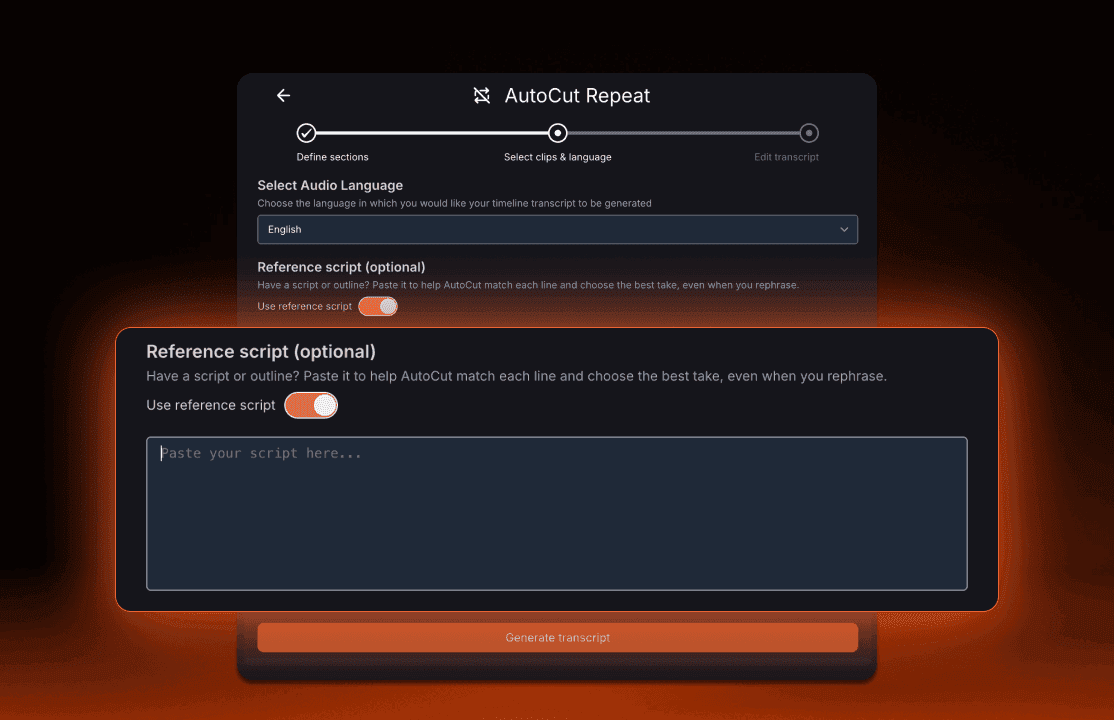
AutoCut Repeat 2.0 introduces a new Reference Script feature that significantly improves detection accuracy.
You can now provide a script that the AI uses as a reference. The system aligns your transcript with the script and identifies the best take across multiple recordings, even when phrasing changes slightly.
Try AutoCut Repeat and skip manual take comparison.
Use cases
This feature is particularly useful for:
- YouTube tutorials
- Voice-over recordings
- Product demos
- Talking head videos
- Any scripted content with multiple takes
Key benefits
- Faster editing by removing manual comparison
- Improved accuracy in take selection
- Better consistency across recordings
Additional information :
- The Reference Script is optional
- Available in more than 80 languages
AutoViral update: More control over viral video creation
AutoViral is built to transform long-form videos into short-form content for platforms like TikTok, Instagram Reels and YouTube Shorts.
This update introduces new customization options and improves how viral clips are selected and evaluated.
Turn long videos into viral clips in seconds.
Fine tuning presets and custom prompts
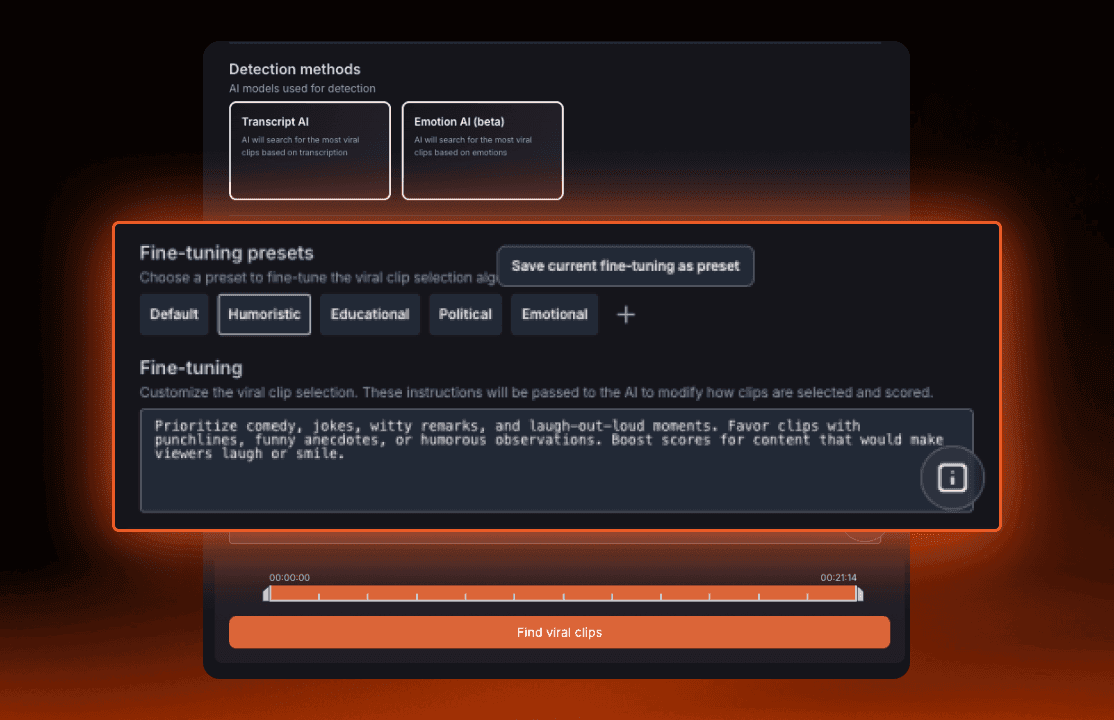
AutoViral now allows you to guide the AI based on your content strategy.
You can choose from predefined presets:
- Default
- Humouristic
- Educational
- Political
- Emotional
You can also create your own custom prompt to define what makes a clip engaging for your audience.
Get clips that match your content strategy, not generic outputs.
Adjustable clip duration
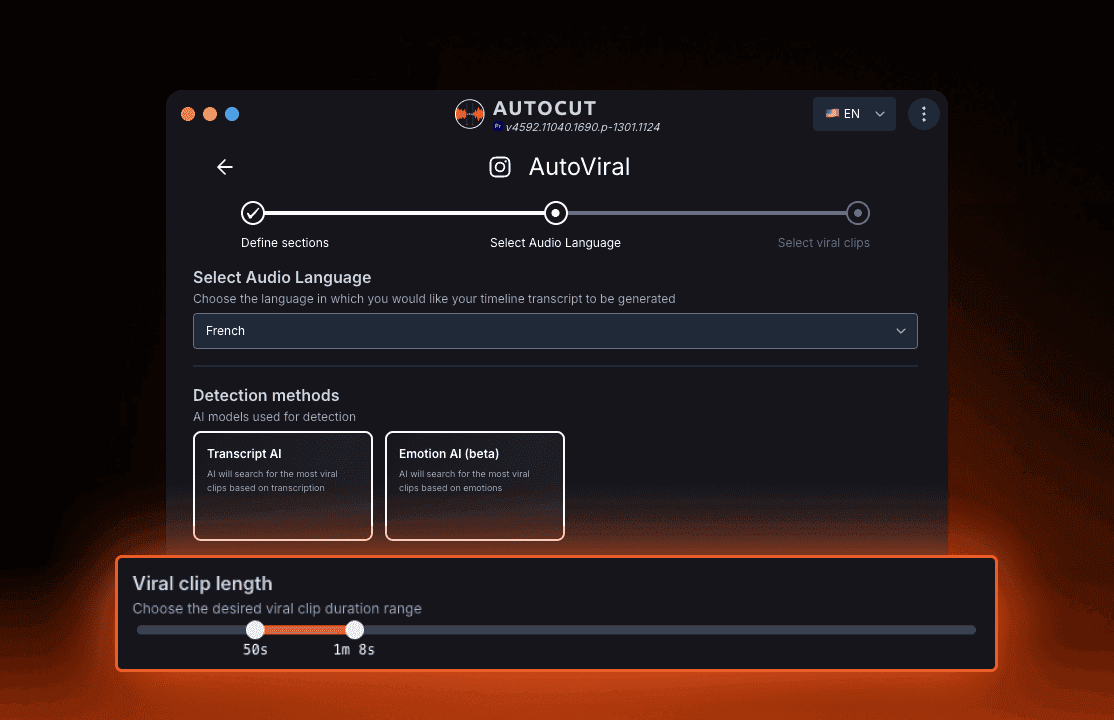
You can now control the length of your clips using a simple slider.
Short clips are ideal for TikTok and Instagram Reels Longer clips work better for storytelling or YouTube Shorts
Adapt your content to each platform instantly.
Improved viral scoring system
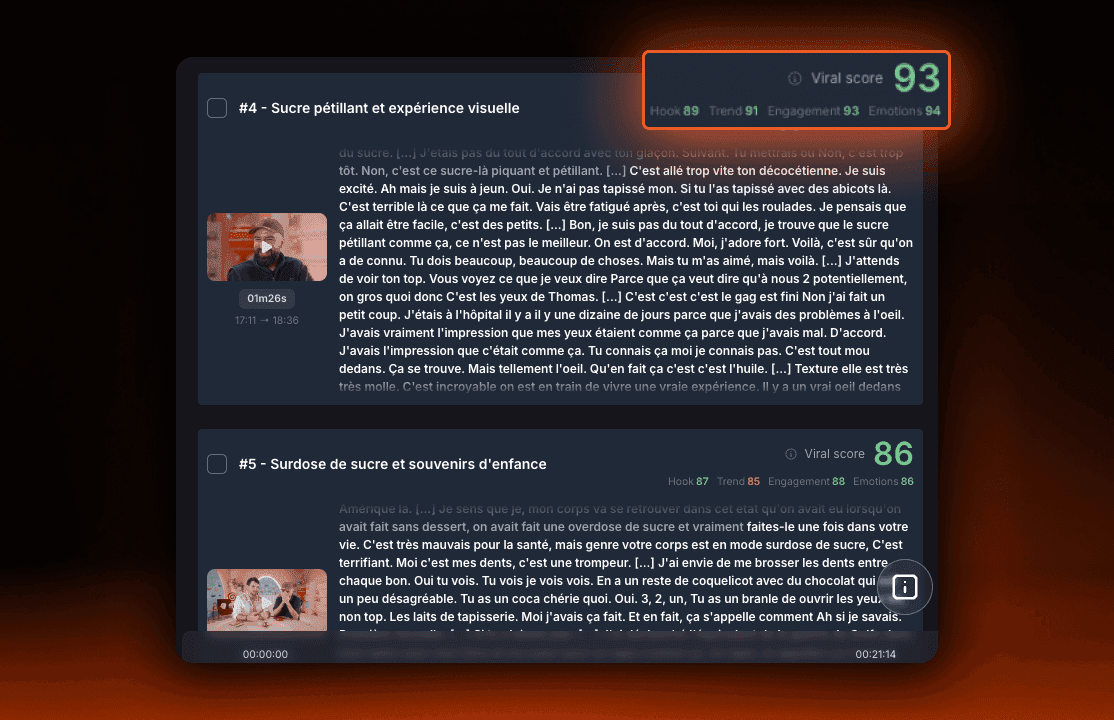
The viral scoring system has been redesigned to provide more transparency.
Each clip is now evaluated based on 4 key factors:
- Hook
- Trend
- Engagement
- Emotions
This helps you understand why a clip is selected and makes it easier to choose the best content.
Make better content decisions faster.
Why these updates matter for video editors
These improvements are designed to solve real editing challenges:
- Reducing time spent reviewing takes
- Automating repetitive editing tasks
- Improving content performance on social media
- Giving more control over AI-generated results
AutoCut continues to position itself as a professional AI video editing plugin built directly inside Premiere Pro and DaVinci Resolve.
All these features are available now.
Myriam HINDERER
Chief Marketing & Communication Officer
Start your 14-day free trial
Elevate your editing process with AutoCut now!