 AutoCaptions
 AutoCut Silences
 AutoCut Podcast
 AutoCut Angles
 AutoZoom
 AutoViral
 AutoB-Rolls
 AutoCut Repeat
 AutoProfanity Filter
 AutoChapters
 AutoResize
 Help Center
 Blog
Blog Discord
 YouTube
 Ambassador
Love this plugin ! it saves a lot of time. Using Autocut to slice out silence works great. I would definitely recommend to others video editors !
AutoCut Silences compatible with

Cut silences for Premiere Pro & DaVinci in seconds
Detect and remove unwanted pauses automatically, with precise controls for thresholds, track selection, padding, and pacing.
14-day free trial - No credit card required!
Step-by-Step
How does it work?
Define the decibel level
Set the silence threshold that works for your video.
Manage your silence options
Fine-tune the edit by defining how much speaking time is needed to keep a segment, and how much padding to leave around each cut for natural, smooth results.
Generate the preview
AutoCut shows you exactly what your edit will look like. Review and launch the Silences removal in just a few clicks.
Testimonials
Hear our customers' voices
AutoCut has completely transformed my video editing workflow. As a content creator, I used to spend hours trimming footage, syncing audio, and making basic edits. With AutoCut, those tasks are done in minutes and with incredible accuracy. The AI is smart, intuitive, and surprisingly customizable. I especially love how it automatically removes silences, applies smooth transitions, and keeps the pacing tight without losing the natural feel of the content.

AutoCut Silences makes editing feel effortless. It removes all the pauses automatically, and my videos sound so much more polished now. I’m genuinely impressed by how accurate it is. Highly recommended!
I've been editing for years, this saves tremendous time. I love AutoCut Silences and I can make way more content with this tool, 10/10

AutoCut Silences is a total time-saver. It trims out all the dead space without me lifting a finger. Perfect for speeding up my workflow, especially on long videos.

Using AutoCut with DaVinci Resolve has completely changed my video editing workflow. What used to take me hours, especially cutting silences or syncing subtitles. Now takes just minutes. The animated captions are impressively accurate, and the integration is smooth and intuitive. I’ve easily saved dozens of hours on repetitive tasks, which lets me focus more on storytelling and creative direction. If you value your time, this tool is a game-changer.

I use Autocut to remove silences from my videos, and it works exceptionally well. Additionally, Autocut's captioning feature is impressive as it accurately understands and adds captions in my local regional language. This is incredibly useful for me, and I will definitely recommend it to my fellow creators.
I found it to be a practical and very fast program for cutting and subtitles. I always use AutoCut and want to continue using it for my projects. I will recommend AutoCut to everyone I know who uses video editors like Davinci Resolve.

What I like most about AutoCut is how intuitive and time-saving it is, it helps me focus on creativity instead of spending hours on repetitive tasks. It’s a real game-changer for both beginners and professionals!

AutoCut has completely transformed my editing workflow. The automatic cutting and smart detection tools save me hours of manual work, letting me focus on creativity and polish. It’s fast, reliable, and incredibly intuitive. An essential tool for any video editor.

Love this plugin ! it saves a lot of time. Using Autocut to slice out silence works great. I would definitely recommend to others video editors !
AutoCut has completely transformed my video editing workflow. As a content creator, I used to spend hours trimming footage, syncing audio, and making basic edits. With AutoCut, those tasks are done in minutes and with incredible accuracy. The AI is smart, intuitive, and surprisingly customizable. I especially love how it automatically removes silences, applies smooth transitions, and keeps the pacing tight without losing the natural feel of the content.
AutoCut Silences makes editing feel effortless. It removes all the pauses automatically, and my videos sound so much more polished now. I’m genuinely impressed by how accurate it is. Highly recommended!
I've been editing for years, this saves tremendous time. I love AutoCut Silences and I can make way more content with this tool, 10/10
AutoCut Silences is a total time-saver. It trims out all the dead space without me lifting a finger. Perfect for speeding up my workflow, especially on long videos.
Using AutoCut with DaVinci Resolve has completely changed my video editing workflow. What used to take me hours, especially cutting silences or syncing subtitles. Now takes just minutes. The animated captions are impressively accurate, and the integration is smooth and intuitive. I’ve easily saved dozens of hours on repetitive tasks, which lets me focus more on storytelling and creative direction. If you value your time, this tool is a game-changer.
I use Autocut to remove silences from my videos, and it works exceptionally well. Additionally, Autocut's captioning feature is impressive as it accurately understands and adds captions in my local regional language. This is incredibly useful for me, and I will definitely recommend it to my fellow creators.
I found it to be a practical and very fast program for cutting and subtitles. I always use AutoCut and want to continue using it for my projects. I will recommend AutoCut to everyone I know who uses video editors like Davinci Resolve.
What I like most about AutoCut is how intuitive and time-saving it is, it helps me focus on creativity instead of spending hours on repetitive tasks. It’s a real game-changer for both beginners and professionals!
AutoCut has completely transformed my editing workflow. The automatic cutting and smart detection tools save me hours of manual work, letting me focus on creativity and polish. It’s fast, reliable, and incredibly intuitive. An essential tool for any video editor.
Love this plugin ! it saves a lot of time. Using Autocut to slice out silence works great. I would definitely recommend to others video editors !
AutoCut has completely transformed my video editing workflow. As a content creator, I used to spend hours trimming footage, syncing audio, and making basic edits. With AutoCut, those tasks are done in minutes and with incredible accuracy. The AI is smart, intuitive, and surprisingly customizable. I especially love how it automatically removes silences, applies smooth transitions, and keeps the pacing tight without losing the natural feel of the content.
AutoCut Silences makes editing feel effortless. It removes all the pauses automatically, and my videos sound so much more polished now. I’m genuinely impressed by how accurate it is. Highly recommended!
I've been editing for years, this saves tremendous time. I love AutoCut Silences and I can make way more content with this tool, 10/10
AutoCut Silences is a total time-saver. It trims out all the dead space without me lifting a finger. Perfect for speeding up my workflow, especially on long videos.
Using AutoCut with DaVinci Resolve has completely changed my video editing workflow. What used to take me hours, especially cutting silences or syncing subtitles. Now takes just minutes. The animated captions are impressively accurate, and the integration is smooth and intuitive. I’ve easily saved dozens of hours on repetitive tasks, which lets me focus more on storytelling and creative direction. If you value your time, this tool is a game-changer.
I use Autocut to remove silences from my videos, and it works exceptionally well. Additionally, Autocut's captioning feature is impressive as it accurately understands and adds captions in my local regional language. This is incredibly useful for me, and I will definitely recommend it to my fellow creators.
I found it to be a practical and very fast program for cutting and subtitles. I always use AutoCut and want to continue using it for my projects. I will recommend AutoCut to everyone I know who uses video editors like Davinci Resolve.
What I like most about AutoCut is how intuitive and time-saving it is, it helps me focus on creativity instead of spending hours on repetitive tasks. It’s a real game-changer for both beginners and professionals!
AutoCut has completely transformed my editing workflow. The automatic cutting and smart detection tools save me hours of manual work, letting me focus on creativity and polish. It’s fast, reliable, and incredibly intuitive. An essential tool for any video editor.
Love this plugin ! it saves a lot of time. Using Autocut to slice out silence works great. I would definitely recommend to others video editors !
AutoCut has completely transformed my video editing workflow. As a content creator, I used to spend hours trimming footage, syncing audio, and making basic edits. With AutoCut, those tasks are done in minutes and with incredible accuracy. The AI is smart, intuitive, and surprisingly customizable. I especially love how it automatically removes silences, applies smooth transitions, and keeps the pacing tight without losing the natural feel of the content.
AutoCut Silences makes editing feel effortless. It removes all the pauses automatically, and my videos sound so much more polished now. I’m genuinely impressed by how accurate it is. Highly recommended!
I've been editing for years, this saves tremendous time. I love AutoCut Silences and I can make way more content with this tool, 10/10
AutoCut Silences is a total time-saver. It trims out all the dead space without me lifting a finger. Perfect for speeding up my workflow, especially on long videos.
Using AutoCut with DaVinci Resolve has completely changed my video editing workflow. What used to take me hours, especially cutting silences or syncing subtitles. Now takes just minutes. The animated captions are impressively accurate, and the integration is smooth and intuitive. I’ve easily saved dozens of hours on repetitive tasks, which lets me focus more on storytelling and creative direction. If you value your time, this tool is a game-changer.
I use Autocut to remove silences from my videos, and it works exceptionally well. Additionally, Autocut's captioning feature is impressive as it accurately understands and adds captions in my local regional language. This is incredibly useful for me, and I will definitely recommend it to my fellow creators.
I found it to be a practical and very fast program for cutting and subtitles. I always use AutoCut and want to continue using it for my projects. I will recommend AutoCut to everyone I know who uses video editors like Davinci Resolve.
What I like most about AutoCut is how intuitive and time-saving it is, it helps me focus on creativity instead of spending hours on repetitive tasks. It’s a real game-changer for both beginners and professionals!
AutoCut has completely transformed my editing workflow. The automatic cutting and smart detection tools save me hours of manual work, letting me focus on creativity and polish. It’s fast, reliable, and incredibly intuitive. An essential tool for any video editor.
Learn & master
Master AutoCut Silences
Cut silences instantly and make your videos flow better. Explore 6 practical guides to automatically remove pauses, boost pacing, and keep your content sharp, engaging, and professional.
Explore the documentation
Support
About AutoCut Silences
Learn more
AutoCut Silence uses AI-driven decibel analysis to identify and remove silences, creating smoother, more engaging videos. Learn more in our step-by-step tutorial.
Yes, you can select specific tracks for silence detection, allowing for precise editing tailored to your needs.
Absolutely! AutoCut Silence supports all formats compatible with Premiere Pro & DaVinci Resolve.
J & L-Cuts allow audio and video to overlap for a seamless flow. Pro plan users can utilize these cut options for advanced editing.
No, AutoCut Silence optimizes your video while maintaining its original quality, ensuring professional results.
Features
Explore more of AutoCut
Dive into our 9 AI-powered features to elevate your content.
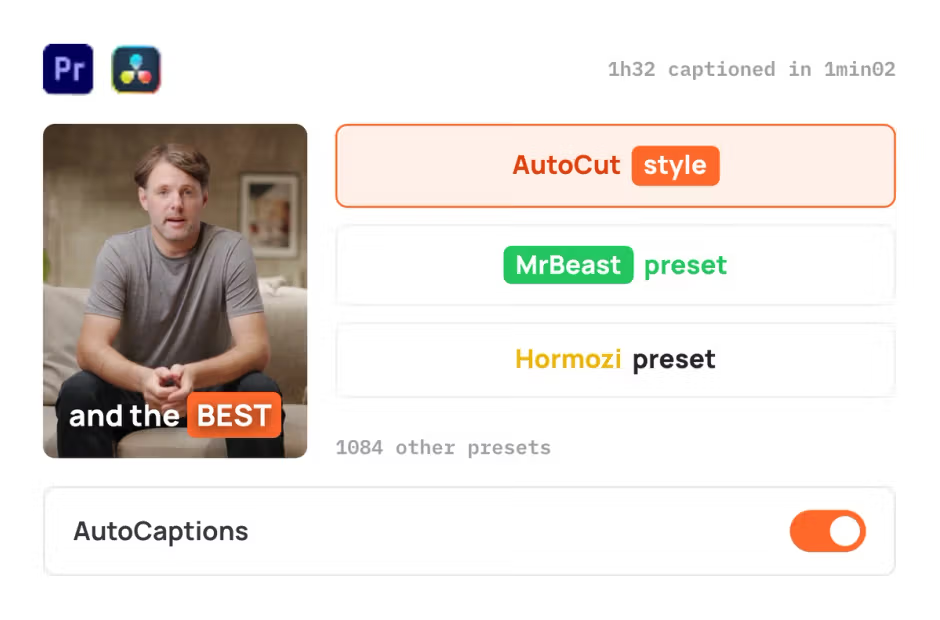
AutoCaptions
AutoCaptions generates animated captions and translates them instantly, boosting the dynamism and engagement of your videos.
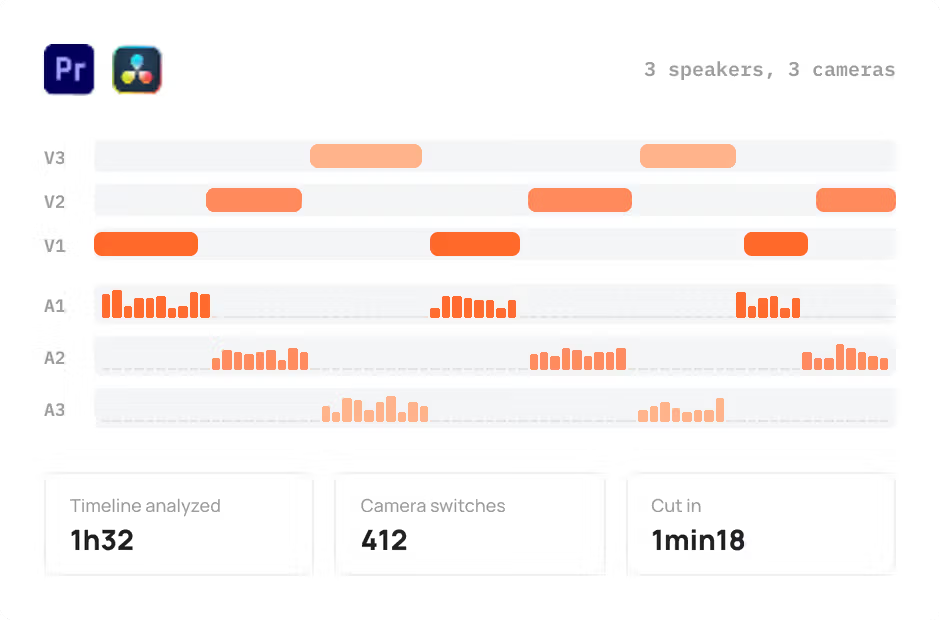
AutoCut Podcast
AutoCut Podcast automates speaker recognition and camera switching for quick multicam podcast editing.
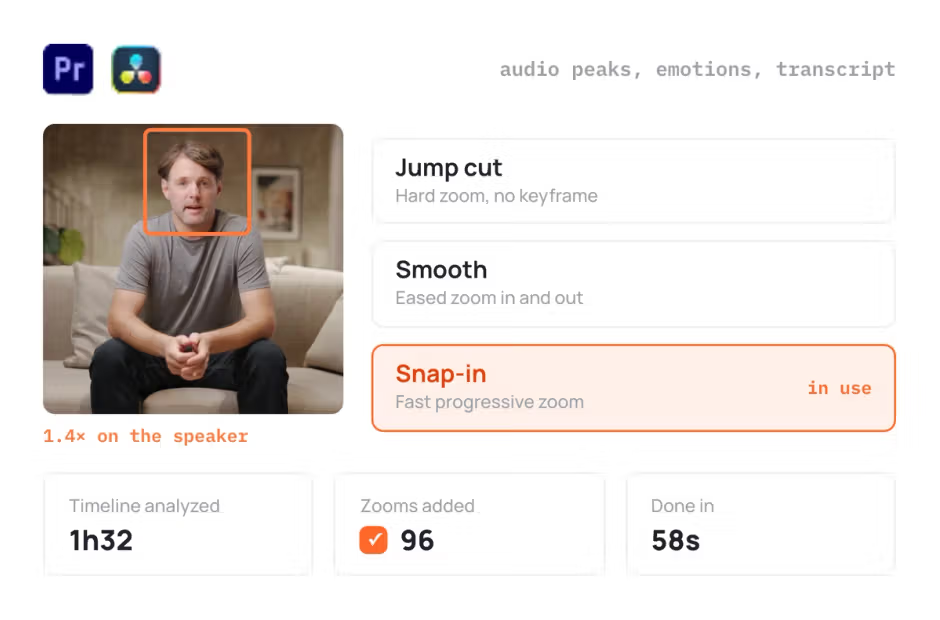
AutoZoom
AutoZoom applies smart and perfectly timed zooms to boost engagement and storytelling.
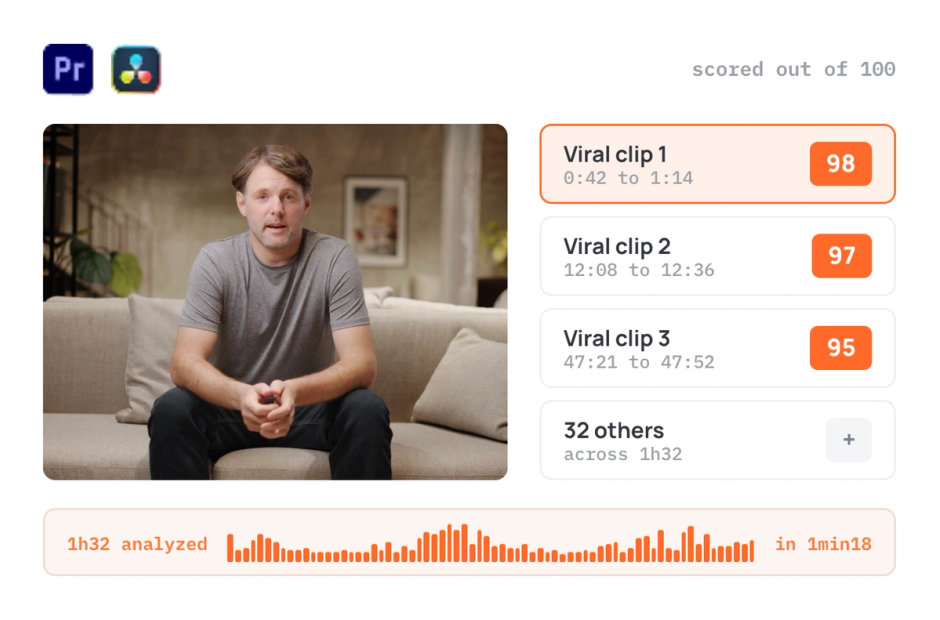
AutoViral
AutoViral identifies key segments in long videos for creating short-form content.
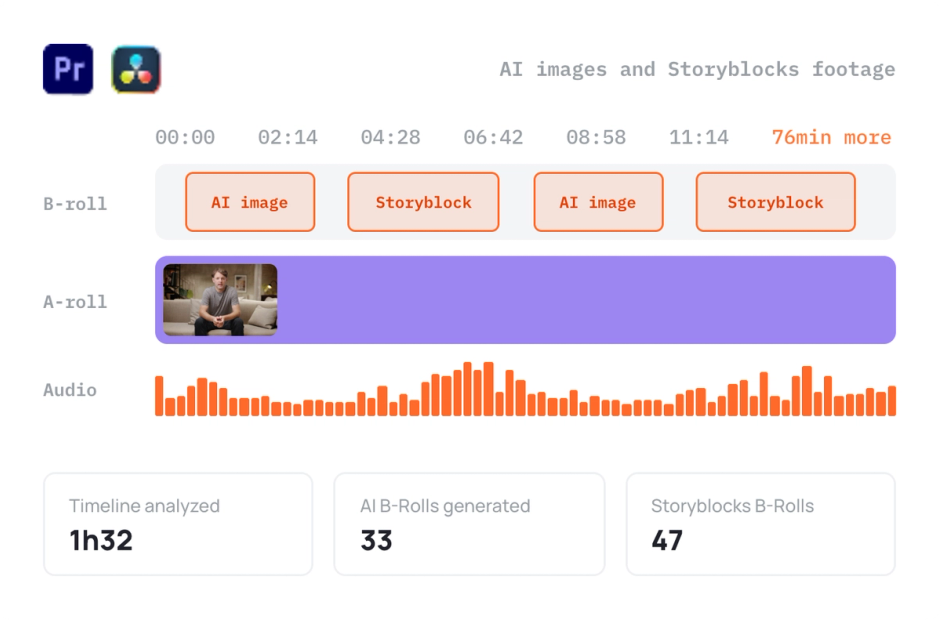
AutoB-Rolls
AutoB-Rolls uses AI to enrich your edits with perfectly integrated stock footage.
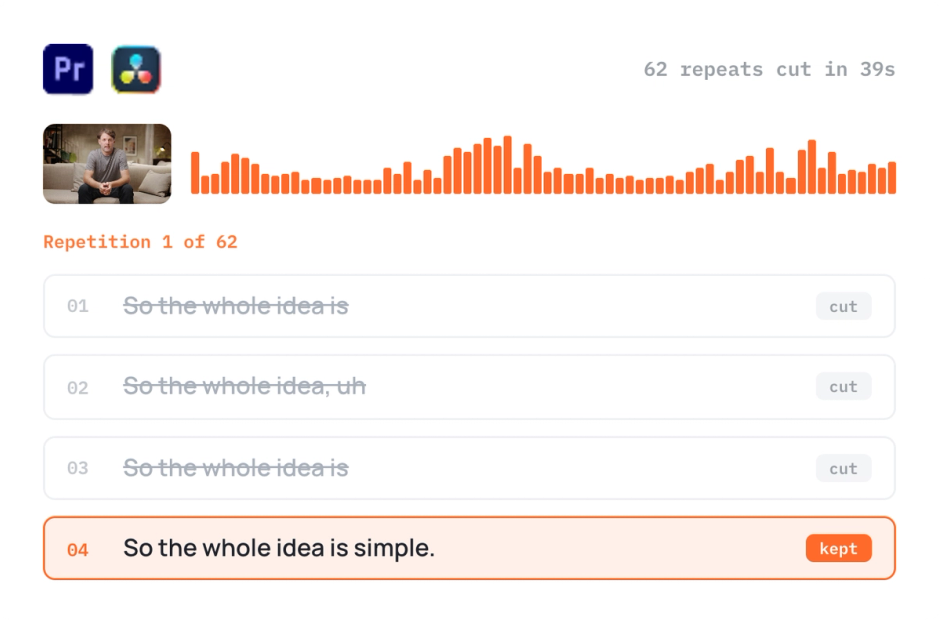
AutoCut Repeat
AutoCut Repeat identifies content repetitions and preserves only the best takes.
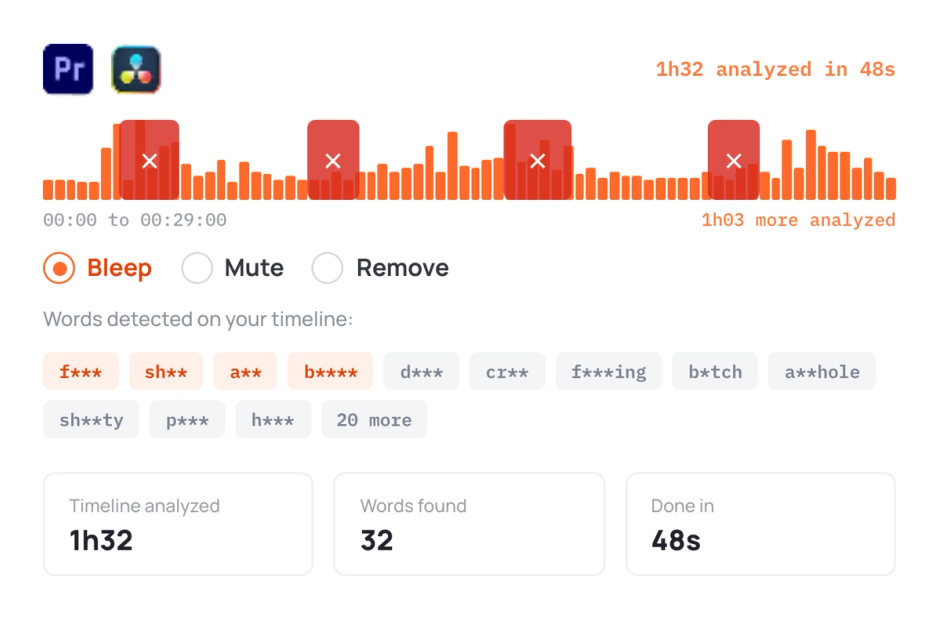
AutoProfanity Filter
AutoProfanity masks profanities with sound effects, ensuring content integrity.
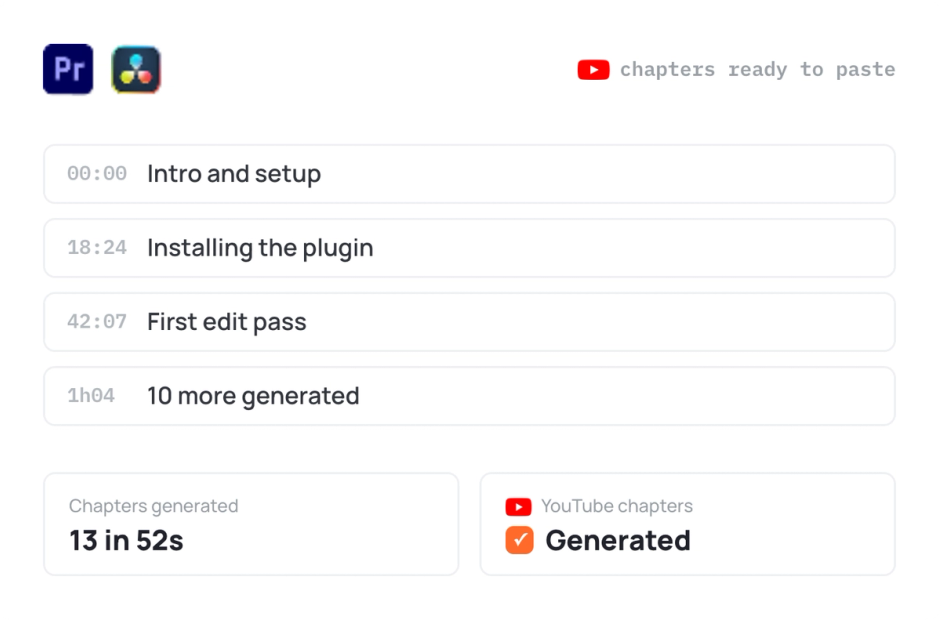
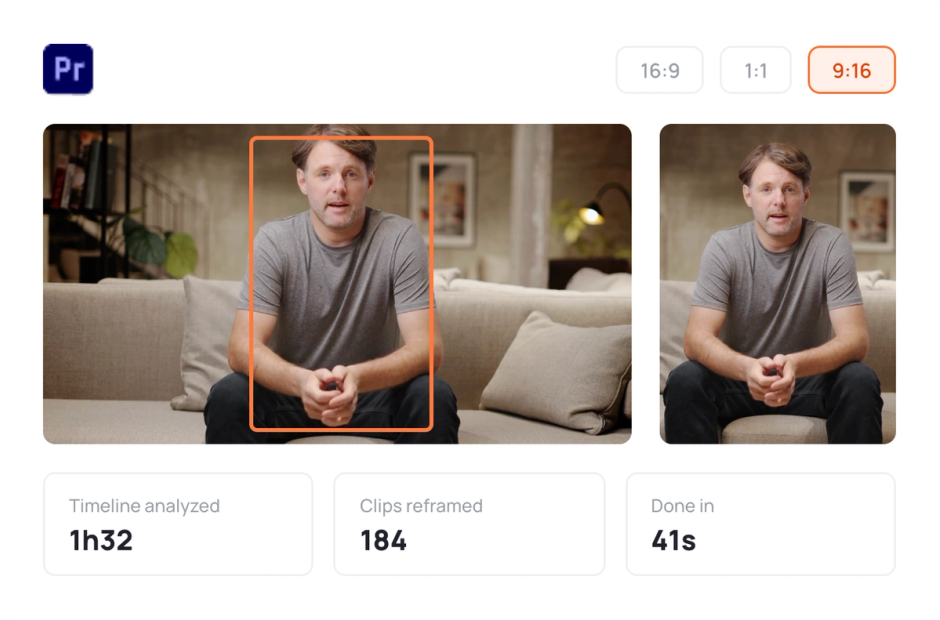
AutoResize
AutoResize adapts sequences to social formats, smartly keeping subjects centered.
Start your 14-day free trial
Elevate your editing process with AutoCut now!
Free download