




AutoCut is the best plugin to add and modify my animated captions. It's simple and fast ! It saves me so much time !


Generate word-by-word captions directly in your Premiere Pro or DaVinci Resolve timeline. Customize the style, pick the language, and boost engagement.
14-day free trial - No credit card required!
Step-by-Step
Choose your audio language from over 80 supported options for precise, word-by-word transcription.
Customize your animated subtitles with AutoCaptions' parameters. Adjust color, size, font, and add automatic emojis.
Review your transcript and settings, then hit launch. Your animated captions in Premiere Pro are ready to roll!
Community Presets
Reviews
Creators and editors use AutoCaptions daily to produce engaging, high-performing videos faster.

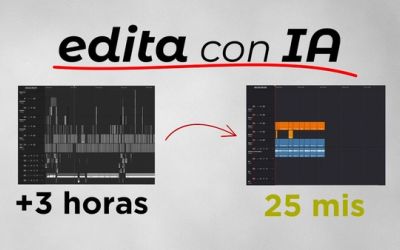

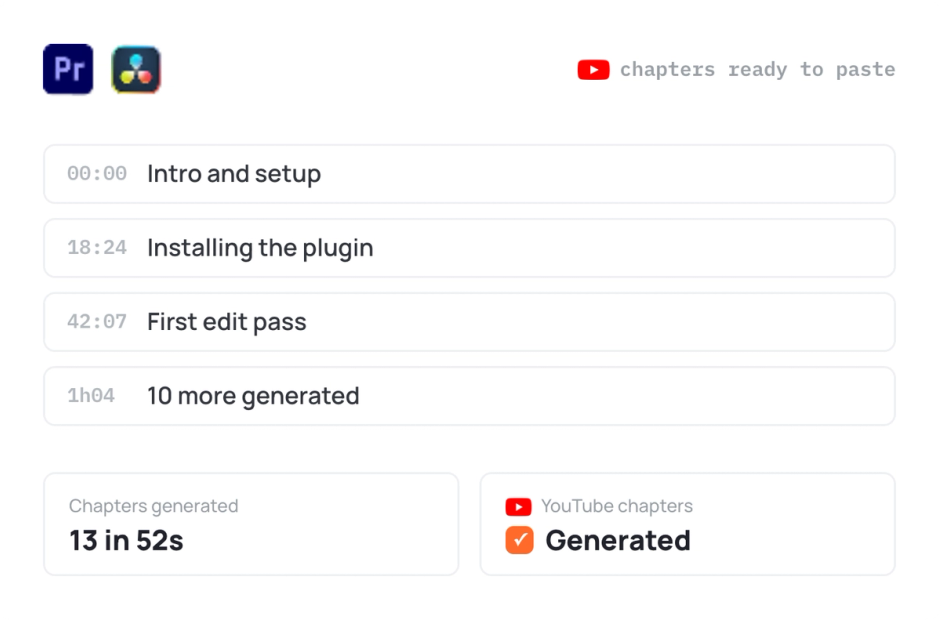
Everything you need to make your videos stand out with captions. Explore 13 practical guides to generate captions automatically and make your videos more engaging, accessible, and professional.
Testimonials
Trusted by video editors worldwide to create captions and subtitles in Premiere Pro faster.
AutoCut is the best plugin to add and modify my animated captions. It's simple and fast ! It saves me so much time !
The caption generation feature is the one I use the most. It’s fast and accurate ! It saves me so much time. I would absolutely recommend this to my friend in the industry !
It's incredible—I never imagined that hours of work could be completed in just minutes. Every feature is extremely useful, especially the auto-captioning and its precision. I highly recommend this plugin.

It is very usefull! And with Autocut I am way more fast than before. So each time I have to cut a video or just to add captions, I use AutoCut to do it. Love it!

Using AutoCut with DaVinci Resolve has completely changed my video editing workflow. What used to take me hours, especially cutting silences or syncing subtitles. Now takes just minutes. The animated captions are impressively accurate, and the integration is smooth and intuitive. I’ve easily saved dozens of hours on repetitive tasks, which lets me focus more on storytelling and creative direction. If you value your time, this tool is a game-changer.

I use Autocut to remove silences from my videos, and it works exceptionally well. Additionally, Autocut's captioning feature is impressive as it accurately understands and adds captions in my local regional language. This is incredibly useful for me, and I will definitely recommend it to my fellow creators.
AutoCut Silences is a total time-saver. It trims out all the dead space without me lifting a finger. Perfect for speeding up my workflow, especially on long videos.

I love to customize and animate captions, coupled with the AutoCut Repeat that makes the sorting of all the takes so much perfect! This extension is really a godsend for Premiere Pro and is better than any other other alternatives I've tried.

As a content creator, I often spend hours manually cutting silences and adding word by word captions. With AutoCut, everything is done automatically, saving me an incredible amount of time. The AI-powered precision ensures smooth transitions, and the intuitive interface makes it easy to use, even for beginners. Whether you’re editing for YouTube, social media, or professional projects, AutoCut is a game-changer.
I've been using AutoCut and it's a game-changer for my video editing workflow. The animated captions feature is a huge plus for keeping viewers engaged. It's intuitive, fast, and has helped me focus on the creative side of my projects. I'd highly recommend it to any video editor looking to streamline their process.

I found it to be a practical and very fast program for cutting and subtitles. I always use AutoCut and want to continue using it for my projects. I will recommend AutoCut to everyone I know who uses video editors like Davinci Resolve.

The features I use the most in AutoCut are AutoZoom and AutoCut Podcast. I edit big interviews and clips so it's a super tool that makes my daily task easier.

AutoCaptions does a really good work! It saves me a lot of time and i like the UI. I'm glad that you have such a range of languages that it can recognize. Highly recommended!

AutoCut is the best plugin to add and modify my animated captions. It's simple and fast ! It saves me so much time !
The caption generation feature is the one I use the most. It’s fast and accurate ! It saves me so much time. I would absolutely recommend this to my friend in the industry !
It's incredible—I never imagined that hours of work could be completed in just minutes. Every feature is extremely useful, especially the auto-captioning and its precision. I highly recommend this plugin.
It is very usefull! And with Autocut I am way more fast than before. So each time I have to cut a video or just to add captions, I use AutoCut to do it. Love it!
Using AutoCut with DaVinci Resolve has completely changed my video editing workflow. What used to take me hours, especially cutting silences or syncing subtitles. Now takes just minutes. The animated captions are impressively accurate, and the integration is smooth and intuitive. I’ve easily saved dozens of hours on repetitive tasks, which lets me focus more on storytelling and creative direction. If you value your time, this tool is a game-changer.
I use Autocut to remove silences from my videos, and it works exceptionally well. Additionally, Autocut's captioning feature is impressive as it accurately understands and adds captions in my local regional language. This is incredibly useful for me, and I will definitely recommend it to my fellow creators.
AutoCut Silences is a total time-saver. It trims out all the dead space without me lifting a finger. Perfect for speeding up my workflow, especially on long videos.
I love to customize and animate captions, coupled with the AutoCut Repeat that makes the sorting of all the takes so much perfect! This extension is really a godsend for Premiere Pro and is better than any other other alternatives I've tried.
As a content creator, I often spend hours manually cutting silences and adding word by word captions. With AutoCut, everything is done automatically, saving me an incredible amount of time. The AI-powered precision ensures smooth transitions, and the intuitive interface makes it easy to use, even for beginners. Whether you’re editing for YouTube, social media, or professional projects, AutoCut is a game-changer.
I've been using AutoCut and it's a game-changer for my video editing workflow. The animated captions feature is a huge plus for keeping viewers engaged. It's intuitive, fast, and has helped me focus on the creative side of my projects. I'd highly recommend it to any video editor looking to streamline their process.
I found it to be a practical and very fast program for cutting and subtitles. I always use AutoCut and want to continue using it for my projects. I will recommend AutoCut to everyone I know who uses video editors like Davinci Resolve.
The features I use the most in AutoCut are AutoZoom and AutoCut Podcast. I edit big interviews and clips so it's a super tool that makes my daily task easier.
AutoCaptions does a really good work! It saves me a lot of time and i like the UI. I'm glad that you have such a range of languages that it can recognize. Highly recommended!
AutoCut is the best plugin to add and modify my animated captions. It's simple and fast ! It saves me so much time !
The caption generation feature is the one I use the most. It’s fast and accurate ! It saves me so much time. I would absolutely recommend this to my friend in the industry !
It's incredible—I never imagined that hours of work could be completed in just minutes. Every feature is extremely useful, especially the auto-captioning and its precision. I highly recommend this plugin.
It is very usefull! And with Autocut I am way more fast than before. So each time I have to cut a video or just to add captions, I use AutoCut to do it. Love it!
Using AutoCut with DaVinci Resolve has completely changed my video editing workflow. What used to take me hours, especially cutting silences or syncing subtitles. Now takes just minutes. The animated captions are impressively accurate, and the integration is smooth and intuitive. I’ve easily saved dozens of hours on repetitive tasks, which lets me focus more on storytelling and creative direction. If you value your time, this tool is a game-changer.
I use Autocut to remove silences from my videos, and it works exceptionally well. Additionally, Autocut's captioning feature is impressive as it accurately understands and adds captions in my local regional language. This is incredibly useful for me, and I will definitely recommend it to my fellow creators.
AutoCut Silences is a total time-saver. It trims out all the dead space without me lifting a finger. Perfect for speeding up my workflow, especially on long videos.
I love to customize and animate captions, coupled with the AutoCut Repeat that makes the sorting of all the takes so much perfect! This extension is really a godsend for Premiere Pro and is better than any other other alternatives I've tried.
As a content creator, I often spend hours manually cutting silences and adding word by word captions. With AutoCut, everything is done automatically, saving me an incredible amount of time. The AI-powered precision ensures smooth transitions, and the intuitive interface makes it easy to use, even for beginners. Whether you’re editing for YouTube, social media, or professional projects, AutoCut is a game-changer.
I've been using AutoCut and it's a game-changer for my video editing workflow. The animated captions feature is a huge plus for keeping viewers engaged. It's intuitive, fast, and has helped me focus on the creative side of my projects. I'd highly recommend it to any video editor looking to streamline their process.
I found it to be a practical and very fast program for cutting and subtitles. I always use AutoCut and want to continue using it for my projects. I will recommend AutoCut to everyone I know who uses video editors like Davinci Resolve.
The features I use the most in AutoCut are AutoZoom and AutoCut Podcast. I edit big interviews and clips so it's a super tool that makes my daily task easier.
AutoCaptions does a really good work! It saves me a lot of time and i like the UI. I'm glad that you have such a range of languages that it can recognize. Highly recommended!
AutoCut is the best plugin to add and modify my animated captions. It's simple and fast ! It saves me so much time !
The caption generation feature is the one I use the most. It’s fast and accurate ! It saves me so much time. I would absolutely recommend this to my friend in the industry !
It's incredible—I never imagined that hours of work could be completed in just minutes. Every feature is extremely useful, especially the auto-captioning and its precision. I highly recommend this plugin.
It is very usefull! And with Autocut I am way more fast than before. So each time I have to cut a video or just to add captions, I use AutoCut to do it. Love it!
Using AutoCut with DaVinci Resolve has completely changed my video editing workflow. What used to take me hours, especially cutting silences or syncing subtitles. Now takes just minutes. The animated captions are impressively accurate, and the integration is smooth and intuitive. I’ve easily saved dozens of hours on repetitive tasks, which lets me focus more on storytelling and creative direction. If you value your time, this tool is a game-changer.
I use Autocut to remove silences from my videos, and it works exceptionally well. Additionally, Autocut's captioning feature is impressive as it accurately understands and adds captions in my local regional language. This is incredibly useful for me, and I will definitely recommend it to my fellow creators.
AutoCut Silences is a total time-saver. It trims out all the dead space without me lifting a finger. Perfect for speeding up my workflow, especially on long videos.
I love to customize and animate captions, coupled with the AutoCut Repeat that makes the sorting of all the takes so much perfect! This extension is really a godsend for Premiere Pro and is better than any other other alternatives I've tried.
As a content creator, I often spend hours manually cutting silences and adding word by word captions. With AutoCut, everything is done automatically, saving me an incredible amount of time. The AI-powered precision ensures smooth transitions, and the intuitive interface makes it easy to use, even for beginners. Whether you’re editing for YouTube, social media, or professional projects, AutoCut is a game-changer.
I've been using AutoCut and it's a game-changer for my video editing workflow. The animated captions feature is a huge plus for keeping viewers engaged. It's intuitive, fast, and has helped me focus on the creative side of my projects. I'd highly recommend it to any video editor looking to streamline their process.
I found it to be a practical and very fast program for cutting and subtitles. I always use AutoCut and want to continue using it for my projects. I will recommend AutoCut to everyone I know who uses video editors like Davinci Resolve.
The features I use the most in AutoCut are AutoZoom and AutoCut Podcast. I edit big interviews and clips so it's a super tool that makes my daily task easier.
AutoCaptions does a really good work! It saves me a lot of time and i like the UI. I'm glad that you have such a range of languages that it can recognize. Highly recommended!
Support
You can add animated captions in Premiere Pro manually, but it can be time-consuming.
With AutoCaptions, you can generate animated subtitles automatically in one click, directly from your timeline.
Premiere Pro offers basic subtitle generation tools, mainly designed for static captions.
AutoCaptions goes further by generating animated captions, word by word subtitles, and advanced styling directly in Premiere Pro.
With AutoCaptions, you can also customize fonts, colors, emojis, and translate captions automatically, all in one click.
It is designed to save time and create more engaging content, especially for YouTube, TikTok, and social media.
AutoCut supports over 80 languages, including English, French, Spanish, Portuguese, Arabic, and many more. See the full list.?
Yes, we propose "preset" that allows you to save a caption style for easier and quicker reuse.
Yes ! With AutoCaptions, you can translate your captions in just one click, in over 80 languages.
Learn more in our step-by-step tutorial.
You can! Just upload your file in a few clicks.
In AutoCaptions, go to Define Section, then choose “Import Captions from SRT file.” Select your file, hit “Open Caption Editor,” and you’re ready to go.
Yes! You can edit your captions anytime.
Right after generation, just click “Back to the transcript editor.” If you’ve closed AutoCut, reopen AutoCaptions, go to Define Section and click “Load previous transcript” to pick up where you left off.
Features
Dive into our 9 AI-powered features to elevate your content.
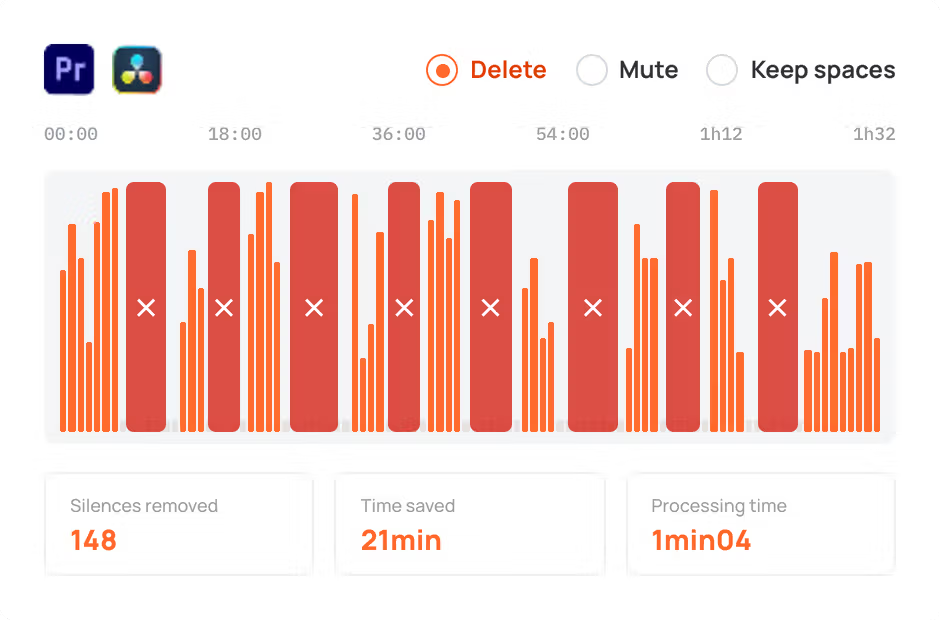
AutoCut Silences
AutoCut Silences eliminates pauses, enhancing video dynamics for a more captivating experience.
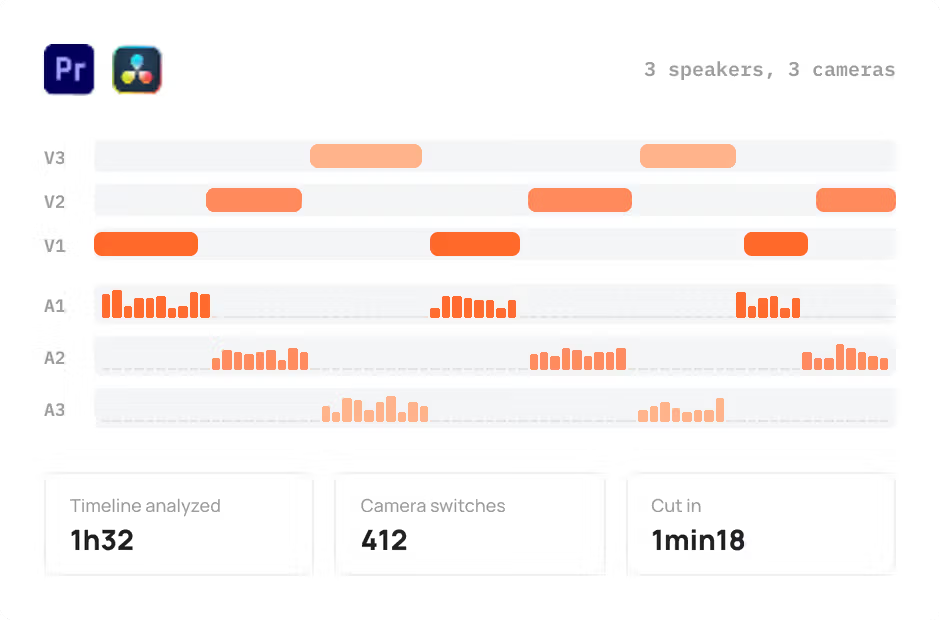
AutoCut Podcast
AutoCut Podcast automates speaker recognition and camera switching for quick multicam podcast editing.
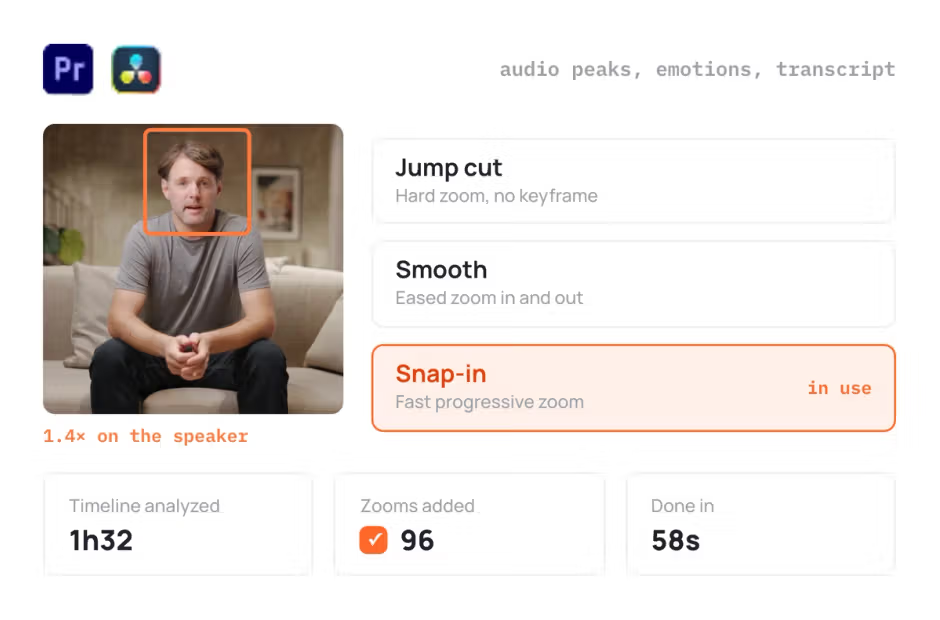
AutoZoom
AutoZoom applies smart and perfectly timed zooms to boost engagement and storytelling.
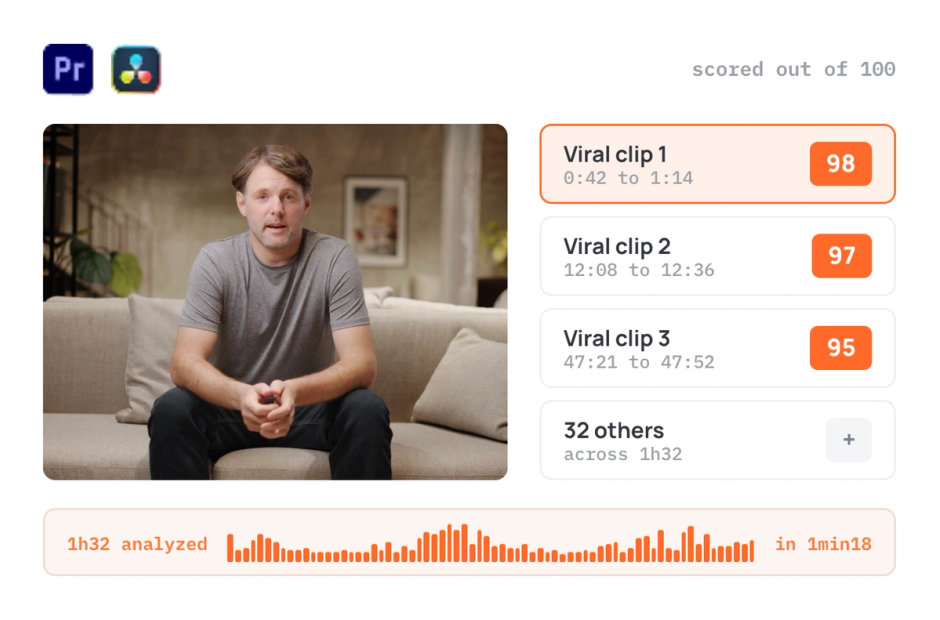
AutoViral
AutoViral identifies key segments in long videos for creating short-form content.
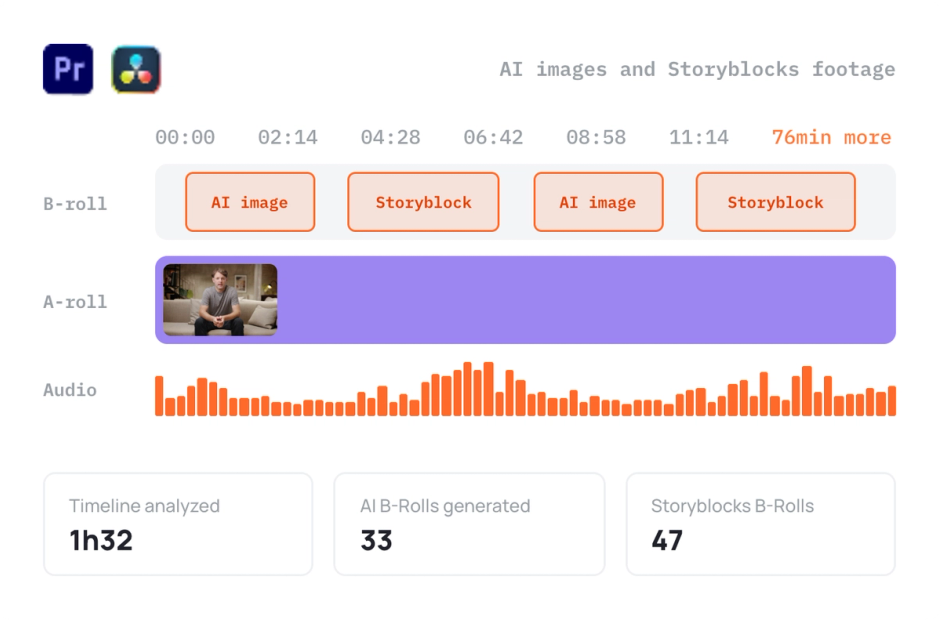
AutoB-Rolls
AutoB-Rolls uses AI to enrich your edits with perfectly integrated stock footage.
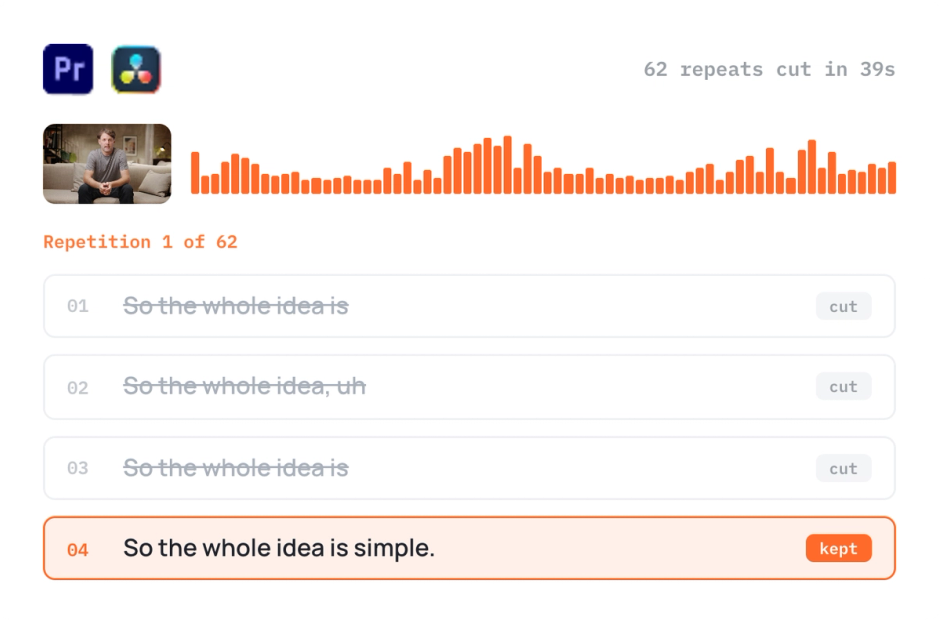
AutoCut Repeat
AutoCut Repeat identifies content repetitions and preserves only the best takes.
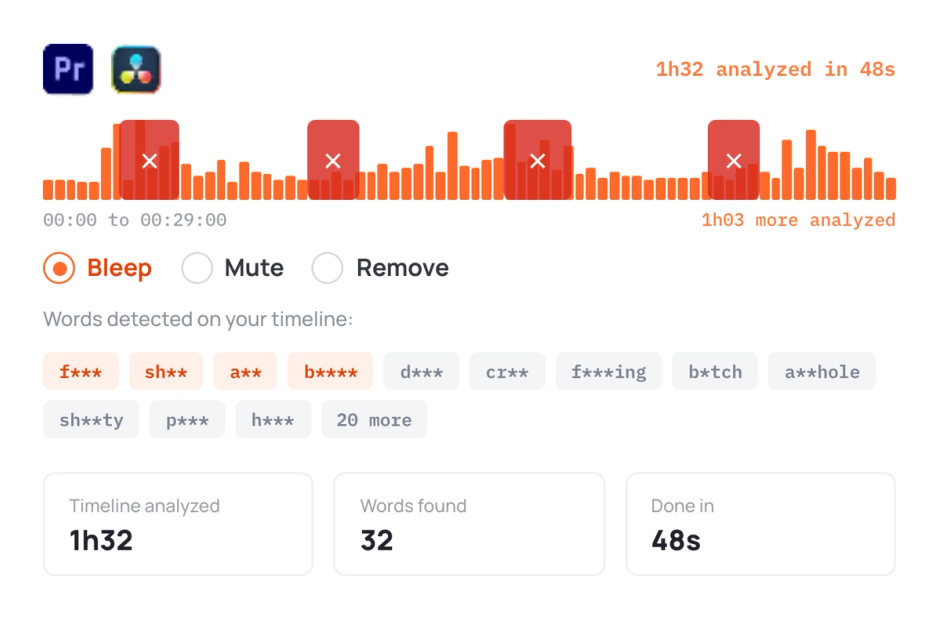
AutoProfanity Filter
AutoProfanity masks profanities with sound effects, ensuring content integrity.
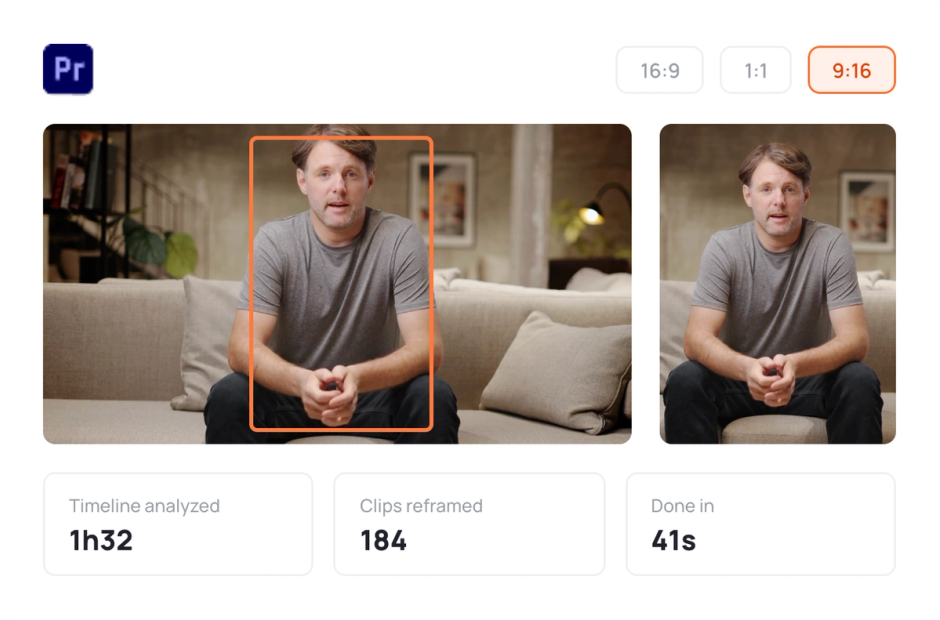
AutoResize
AutoResize adapts sequences to social formats, smartly keeping subjects centered.
Elevate your editing process with AutoCut now!