




Didn’t think I’d need AutoResize until I tried it — now I use it for literally every post. No more messing with keyframes or re-editing for each platform. It just works. Thanks AutoCut !!


Reframe videos for TikTok, Instagram, YouTube Shorts, and more while automatically keeping your subject centered.
14-day free trial - No credit card required!
Step-by-Step
Use AutoZoom’s preview to set your target format, anchor point and zoom intensity.
Import your watermark and position it precisely within the frame. Then let AutoResize take care of the rest.
Testimonials
Didn’t think I’d need AutoResize until I tried it — now I use it for literally every post. No more messing with keyframes or re-editing for each platform. It just works. Thanks AutoCut !!
I used to dread resizing videos for different platforms. AutoResize made the whole process effortless. The subject tracking is super accurate, and adding a watermark takes seconds. Total time-saver for my client work.

What I love about AutoResize is how clean and professional everything looks once it’s done. I no longer worry about cropping faces or important details. It even lets me protect my content with watermarks. Absolutely worth trying!
AutoResize has become an essential part of my Premiere Pro workflow. I set the format once and let the AI do its thing. Every output feels custom-made for each platform. Super efficient and reliable.
its so cool

AutoResize saved us hours of reformatting for Instagram, TikTok, and YouTube Shorts. The AI keeps my subject perfectly centered, and the results look like they were edited by hand. This tool is a game changer for social-first creators!

Didn’t think I’d need AutoResize until I tried it — now I use it for literally every post. No more messing with keyframes or re-editing for each platform. It just works. Thanks AutoCut !!
I used to dread resizing videos for different platforms. AutoResize made the whole process effortless. The subject tracking is super accurate, and adding a watermark takes seconds. Total time-saver for my client work.
What I love about AutoResize is how clean and professional everything looks once it’s done. I no longer worry about cropping faces or important details. It even lets me protect my content with watermarks. Absolutely worth trying!
AutoResize has become an essential part of my Premiere Pro workflow. I set the format once and let the AI do its thing. Every output feels custom-made for each platform. Super efficient and reliable.
its so cool
AutoResize saved us hours of reformatting for Instagram, TikTok, and YouTube Shorts. The AI keeps my subject perfectly centered, and the results look like they were edited by hand. This tool is a game changer for social-first creators!
Didn’t think I’d need AutoResize until I tried it — now I use it for literally every post. No more messing with keyframes or re-editing for each platform. It just works. Thanks AutoCut !!
I used to dread resizing videos for different platforms. AutoResize made the whole process effortless. The subject tracking is super accurate, and adding a watermark takes seconds. Total time-saver for my client work.
What I love about AutoResize is how clean and professional everything looks once it’s done. I no longer worry about cropping faces or important details. It even lets me protect my content with watermarks. Absolutely worth trying!
AutoResize has become an essential part of my Premiere Pro workflow. I set the format once and let the AI do its thing. Every output feels custom-made for each platform. Super efficient and reliable.
its so cool
AutoResize saved us hours of reformatting for Instagram, TikTok, and YouTube Shorts. The AI keeps my subject perfectly centered, and the results look like they were edited by hand. This tool is a game changer for social-first creators!
Didn’t think I’d need AutoResize until I tried it — now I use it for literally every post. No more messing with keyframes or re-editing for each platform. It just works. Thanks AutoCut !!
I used to dread resizing videos for different platforms. AutoResize made the whole process effortless. The subject tracking is super accurate, and adding a watermark takes seconds. Total time-saver for my client work.
What I love about AutoResize is how clean and professional everything looks once it’s done. I no longer worry about cropping faces or important details. It even lets me protect my content with watermarks. Absolutely worth trying!
AutoResize has become an essential part of my Premiere Pro workflow. I set the format once and let the AI do its thing. Every output feels custom-made for each platform. Super efficient and reliable.
its so cool
AutoResize saved us hours of reformatting for Instagram, TikTok, and YouTube Shorts. The AI keeps my subject perfectly centered, and the results look like they were edited by hand. This tool is a game changer for social-first creators!
Didn’t think I’d need AutoResize until I tried it — now I use it for literally every post. No more messing with keyframes or re-editing for each platform. It just works. Thanks AutoCut !!
I used to dread resizing videos for different platforms. AutoResize made the whole process effortless. The subject tracking is super accurate, and adding a watermark takes seconds. Total time-saver for my client work.
What I love about AutoResize is how clean and professional everything looks once it’s done. I no longer worry about cropping faces or important details. It even lets me protect my content with watermarks. Absolutely worth trying!
AutoResize has become an essential part of my Premiere Pro workflow. I set the format once and let the AI do its thing. Every output feels custom-made for each platform. Super efficient and reliable.
its so cool
AutoResize saved us hours of reformatting for Instagram, TikTok, and YouTube Shorts. The AI keeps my subject perfectly centered, and the results look like they were edited by hand. This tool is a game changer for social-first creators!
Didn’t think I’d need AutoResize until I tried it — now I use it for literally every post. No more messing with keyframes or re-editing for each platform. It just works. Thanks AutoCut !!
I used to dread resizing videos for different platforms. AutoResize made the whole process effortless. The subject tracking is super accurate, and adding a watermark takes seconds. Total time-saver for my client work.
What I love about AutoResize is how clean and professional everything looks once it’s done. I no longer worry about cropping faces or important details. It even lets me protect my content with watermarks. Absolutely worth trying!
AutoResize has become an essential part of my Premiere Pro workflow. I set the format once and let the AI do its thing. Every output feels custom-made for each platform. Super efficient and reliable.
its so cool
AutoResize saved us hours of reformatting for Instagram, TikTok, and YouTube Shorts. The AI keeps my subject perfectly centered, and the results look like they were edited by hand. This tool is a game changer for social-first creators!
Everything you need to master video resizing for social media. Our documentation includes 3 practical guides covering setup, smart reframing and custom presets for every platform.
Support
AutoResize automatically adapts your video to multiple social formats while keeping your main subject perfectly framed. Learn more in our step-by-step tutorial.
A watermark is a visual mark on your video that signifies ownership, helping to protect your content and boost brand recognition.
Yes, you just have to simply set markers for the desired sections, or choose to apply AutoResize to the entire sequence.
Features
Dive into our 9 AI-powered features to elevate your content.
AutoCaptions
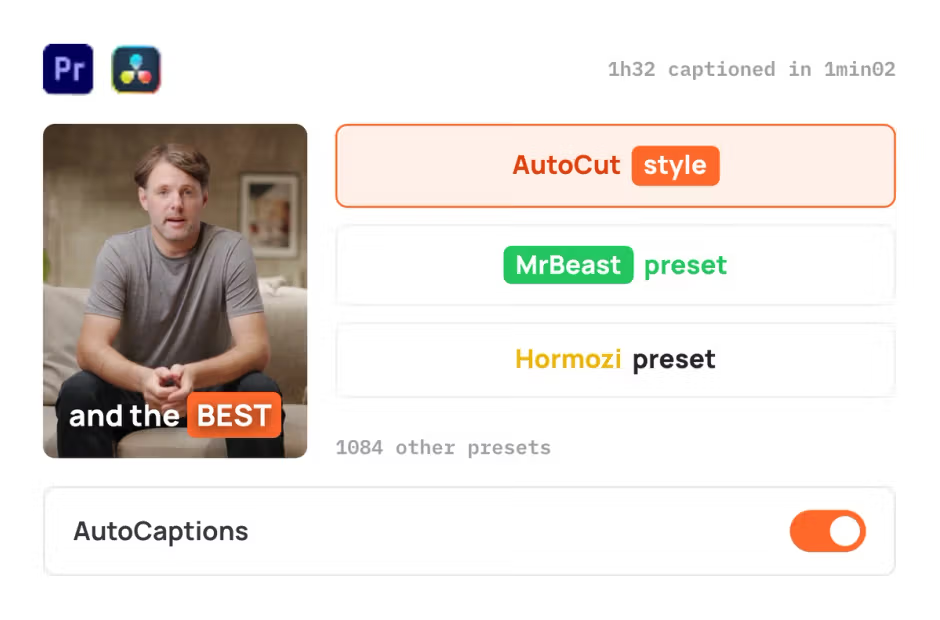
AutoCaptions generates animated captions and translates them instantly, boosting the dynamism and engagement of your videos.
AutoCut Silences
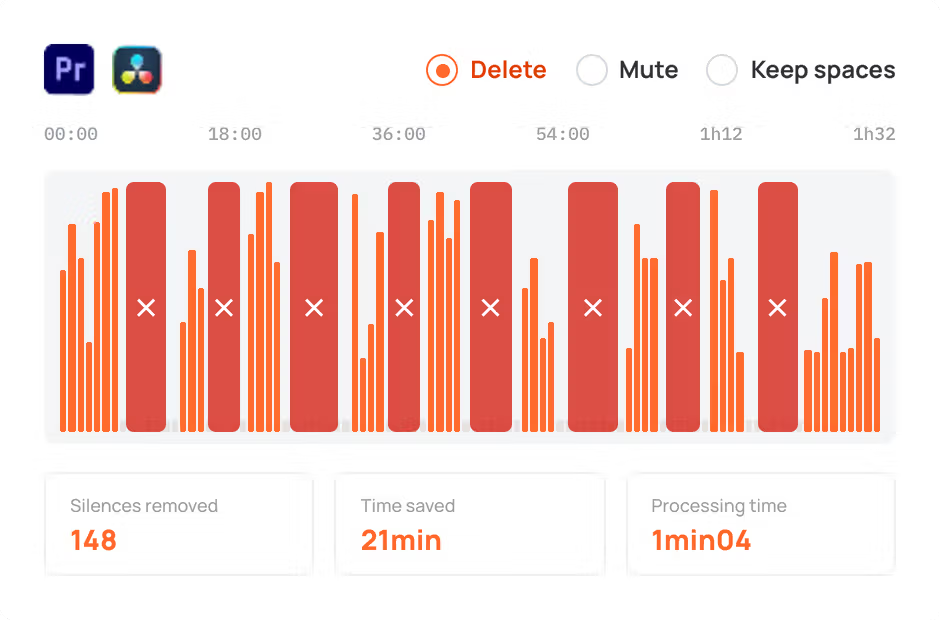
AutoCut Silences eliminates pauses, enhancing video dynamics for a more captivating experience.
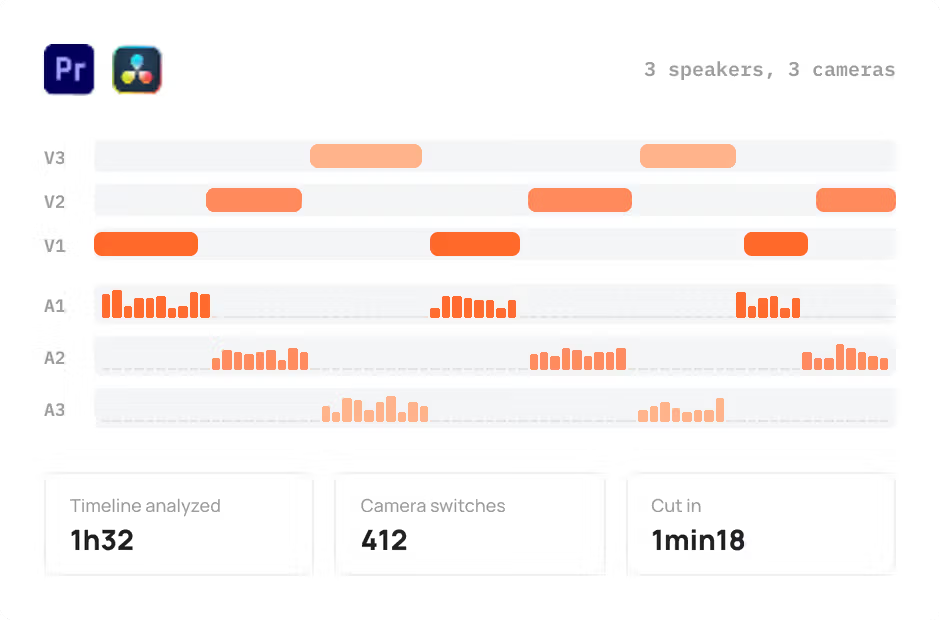
AutoCut Podcast
AutoCut Podcast automates speaker recognition and camera switching for quick multicam podcast editing.
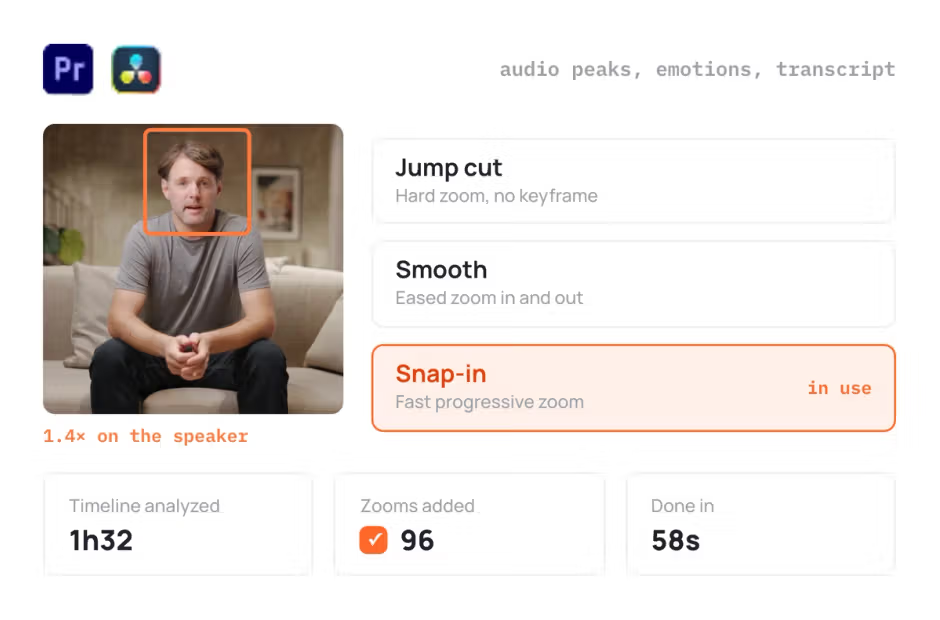
AutoZoom
AutoZoom applies smart and perfectly timed zooms to boost engagement and storytelling.
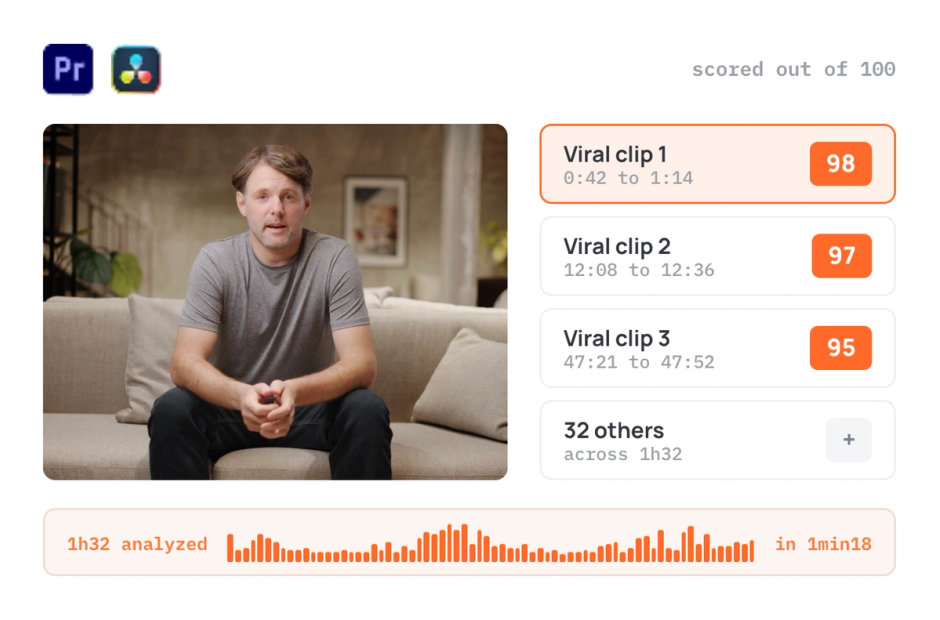
AutoViral
AutoViral identifies key segments in long videos for creating short-form content.
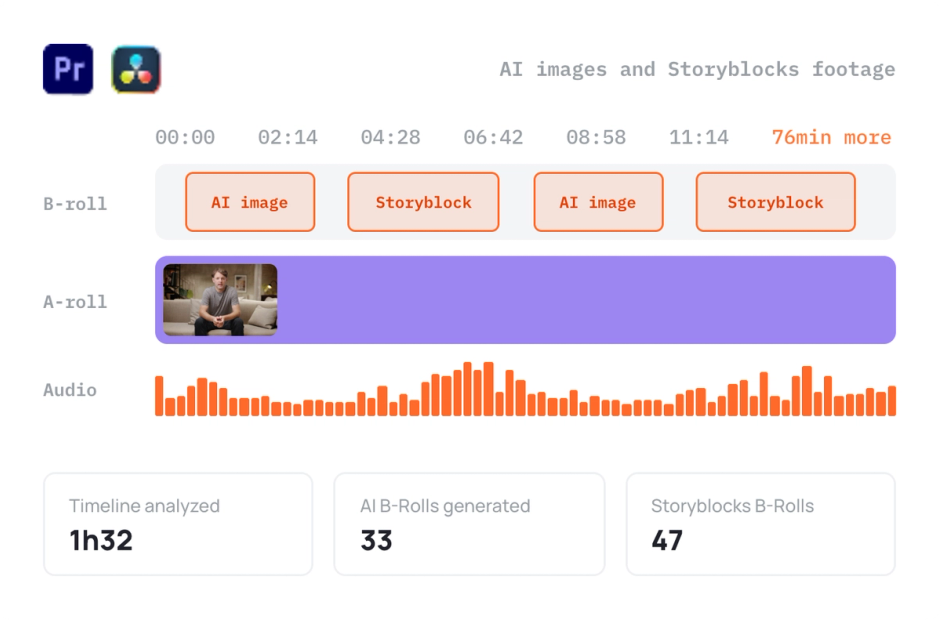
AutoB-Rolls
AutoB-Rolls uses AI to enrich your edits with perfectly integrated stock footage.
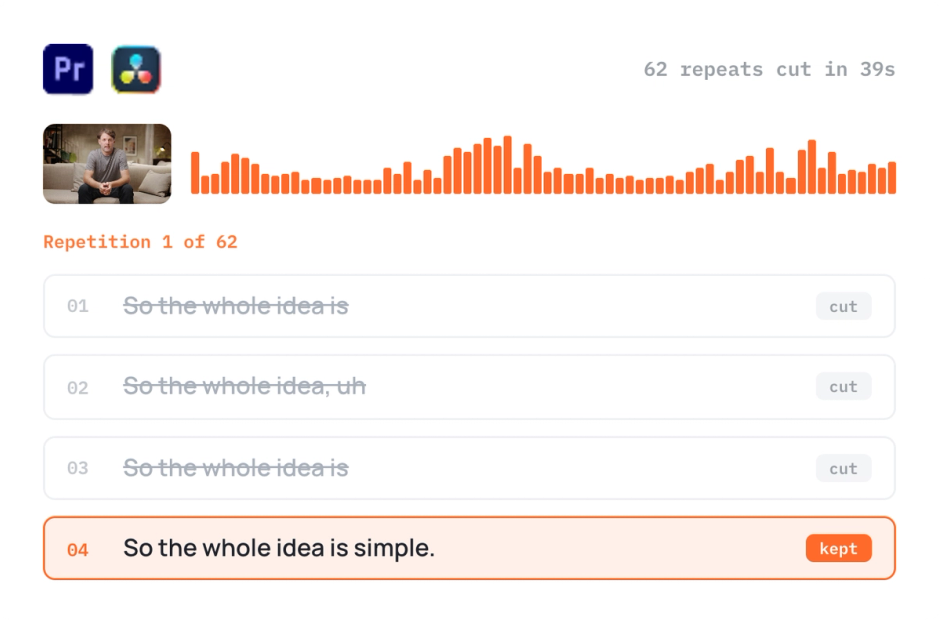
AutoCut Repeat
AutoCut Repeat identifies content repetitions and preserves only the best takes.
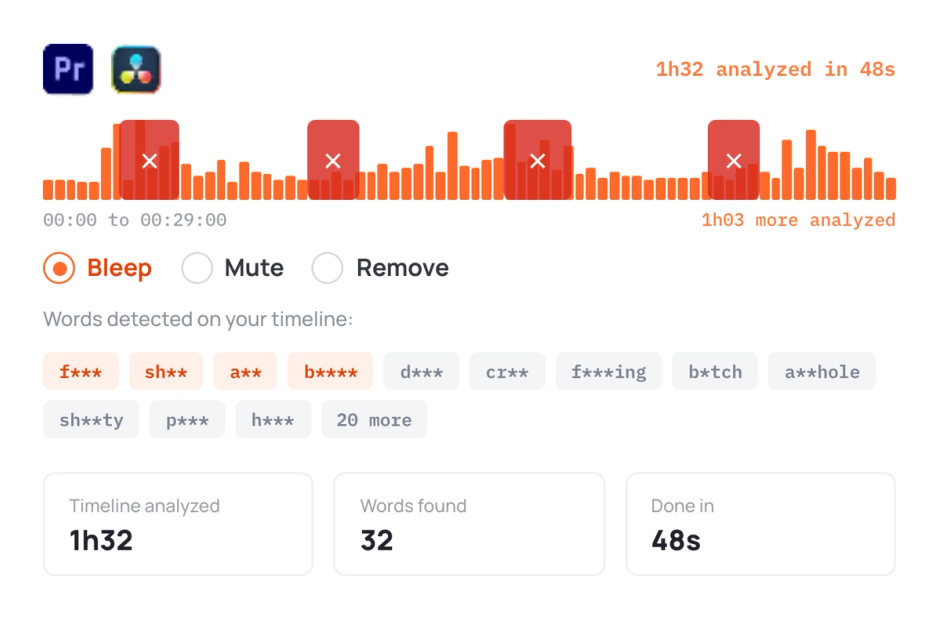
AutoProfanity Filter
AutoProfanity masks profanities with sound effects, ensuring content integrity.
Elevate your editing process with AutoCut now!