




AutoCut saves me a lot of time when editing my videos. I love the automatic zoom ! It's so useful !


Add perfectly timed zooms triggered by cuts, speech, emotions, or AI, then adjust their speed, range, and style.
14-day free trial - No credit card required!
Step-by-Step
Pick how fast your zooms should move and what triggers them : cuts, emotions, speech or highlight meaning (AI).
Define where the zoom should focus and adjust the min/max levels for smooth transitions.
Select your preferred zoom style : "Jump Cut"," Smooth" or "Snap-in"
Zoom style
Hard and instant zoom with no keyframes. Perfect for punchy YouTube edits, commentary videos, and high energy content where impact matters.
Cinematic zoom in and out with fluid keyframes. Ideal for interviews, educational content, and storytelling where transitions need to feel natural and polished.
Fast progressive zoom with an animated entry only. A balanced style that adds subtle movement without overwhelming your edit. Perfect for podcasts, business content, and social media videos.
Testimonials
AutoCut saves me a lot of time when editing my videos. I love the automatic zoom ! It's so useful !
Very beautiful plugin! I really like the zoom and repeated words options! I will definitely recommend it to my friends!

AutoCut is a game changer. It's so easy to add zooms now. Even as a beginner in Premiere :)

AutoCut has completely transformed my workflow. What used to take hours now takes seconds. Need to add zooms or B-rolls? Done in under a minute. Total game-changer!

The features I use the most in AutoCut are AutoZoom and AutoCut Podcast. I edit big interviews and clips so it's a super tool that makes my daily task easier.

I like the time it saves even with some modifications to make after the edit. I mainly use AutoZoom and Silences for my edit.

Honestly, I really appreciate AutoZoom & AutoCaptions. It helped speed up my Premiere workflow tremendously.

AutoCut saves me a lot of time when editing my videos. I love the automatic zoom ! It's so useful !
Very beautiful plugin! I really like the zoom and repeated words options! I will definitely recommend it to my friends!
AutoCut is a game changer. It's so easy to add zooms now. Even as a beginner in Premiere :)
AutoCut has completely transformed my workflow. What used to take hours now takes seconds. Need to add zooms or B-rolls? Done in under a minute. Total game-changer!
The features I use the most in AutoCut are AutoZoom and AutoCut Podcast. I edit big interviews and clips so it's a super tool that makes my daily task easier.
I like the time it saves even with some modifications to make after the edit. I mainly use AutoZoom and Silences for my edit.
Honestly, I really appreciate AutoZoom & AutoCaptions. It helped speed up my Premiere workflow tremendously.
AutoCut saves me a lot of time when editing my videos. I love the automatic zoom ! It's so useful !
Very beautiful plugin! I really like the zoom and repeated words options! I will definitely recommend it to my friends!
AutoCut is a game changer. It's so easy to add zooms now. Even as a beginner in Premiere :)
AutoCut has completely transformed my workflow. What used to take hours now takes seconds. Need to add zooms or B-rolls? Done in under a minute. Total game-changer!
The features I use the most in AutoCut are AutoZoom and AutoCut Podcast. I edit big interviews and clips so it's a super tool that makes my daily task easier.
I like the time it saves even with some modifications to make after the edit. I mainly use AutoZoom and Silences for my edit.
Honestly, I really appreciate AutoZoom & AutoCaptions. It helped speed up my Premiere workflow tremendously.
AutoCut saves me a lot of time when editing my videos. I love the automatic zoom ! It's so useful !
Very beautiful plugin! I really like the zoom and repeated words options! I will definitely recommend it to my friends!
AutoCut is a game changer. It's so easy to add zooms now. Even as a beginner in Premiere :)
AutoCut has completely transformed my workflow. What used to take hours now takes seconds. Need to add zooms or B-rolls? Done in under a minute. Total game-changer!
The features I use the most in AutoCut are AutoZoom and AutoCut Podcast. I edit big interviews and clips so it's a super tool that makes my daily task easier.
I like the time it saves even with some modifications to make after the edit. I mainly use AutoZoom and Silences for my edit.
Honestly, I really appreciate AutoZoom & AutoCaptions. It helped speed up my Premiere workflow tremendously.
AutoCut saves me a lot of time when editing my videos. I love the automatic zoom ! It's so useful !
Very beautiful plugin! I really like the zoom and repeated words options! I will definitely recommend it to my friends!
AutoCut is a game changer. It's so easy to add zooms now. Even as a beginner in Premiere :)
AutoCut has completely transformed my workflow. What used to take hours now takes seconds. Need to add zooms or B-rolls? Done in under a minute. Total game-changer!
The features I use the most in AutoCut are AutoZoom and AutoCut Podcast. I edit big interviews and clips so it's a super tool that makes my daily task easier.
I like the time it saves even with some modifications to make after the edit. I mainly use AutoZoom and Silences for my edit.
Honestly, I really appreciate AutoZoom & AutoCaptions. It helped speed up my Premiere workflow tremendously.
AutoCut saves me a lot of time when editing my videos. I love the automatic zoom ! It's so useful !
Very beautiful plugin! I really like the zoom and repeated words options! I will definitely recommend it to my friends!
AutoCut is a game changer. It's so easy to add zooms now. Even as a beginner in Premiere :)
AutoCut has completely transformed my workflow. What used to take hours now takes seconds. Need to add zooms or B-rolls? Done in under a minute. Total game-changer!
The features I use the most in AutoCut are AutoZoom and AutoCut Podcast. I edit big interviews and clips so it's a super tool that makes my daily task easier.
I like the time it saves even with some modifications to make after the edit. I mainly use AutoZoom and Silences for my edit.
Honestly, I really appreciate AutoZoom & AutoCaptions. It helped speed up my Premiere workflow tremendously.
Everything you need to master AutoZoom. Discover 4 practical resources to control zoom rhythm, triggers, intensity, and styles so you can add dynamic zooms in one click and instantly transform any video into a high retention edit.
Support
AutoZoom automatically adds dynamic, perfectly timed zooms to highlight key moments in your video. Check out our step-by-step tutorial.
You can easily customize AutoZoom intensity, speed, and more to fit your style. Learn how to adjust the settings here.
Yes, you can easily adjust or remove any zooms applied by AutoZoom using the generated keyframe.
No, AutoZoom maintains high video quality by applying smooth and professional-grade zoom effects.
Yes, AutoZoom is highly versatile and designed to enhance a wide range of video content. Whether you're creating professional tutorials, engaging casual vlogs, educational content, or marketing videos, AutoZoom adapts to your needs.
Features
Dive into our 9 AI-powered features to elevate your content.
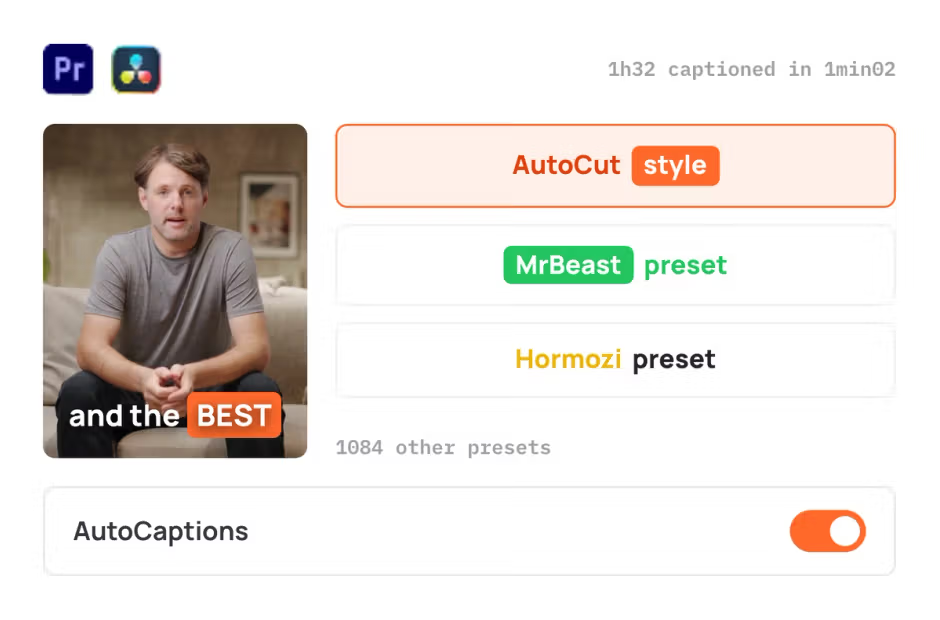
AutoCaptions
AutoCaptions generates animated captions and translates them instantly — boosting the dynamism and engagement of your videos.
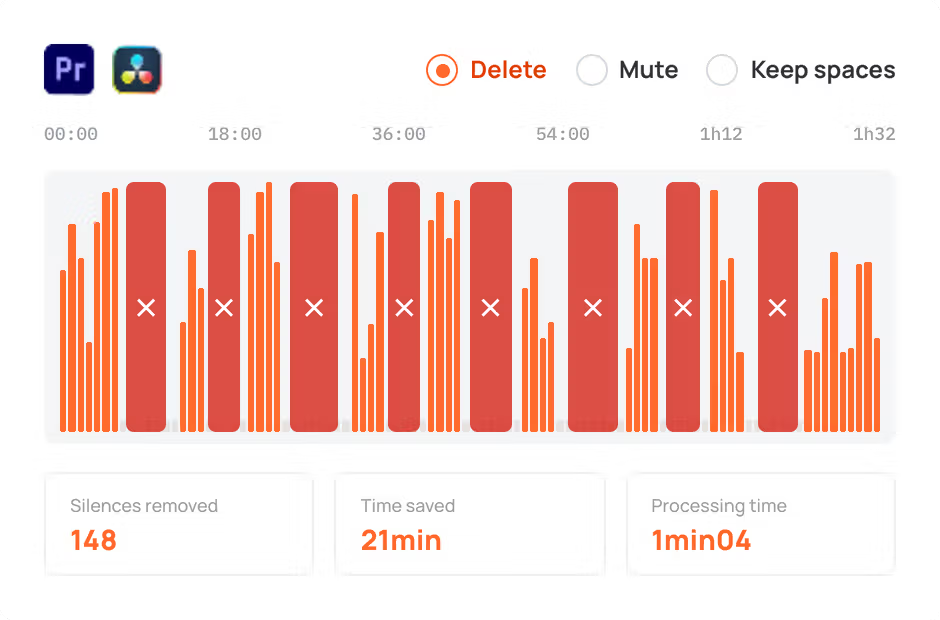
AutoCut Silences
AutoCut Silences eliminates pauses, enhancing video dynamics for a more captivating experience.
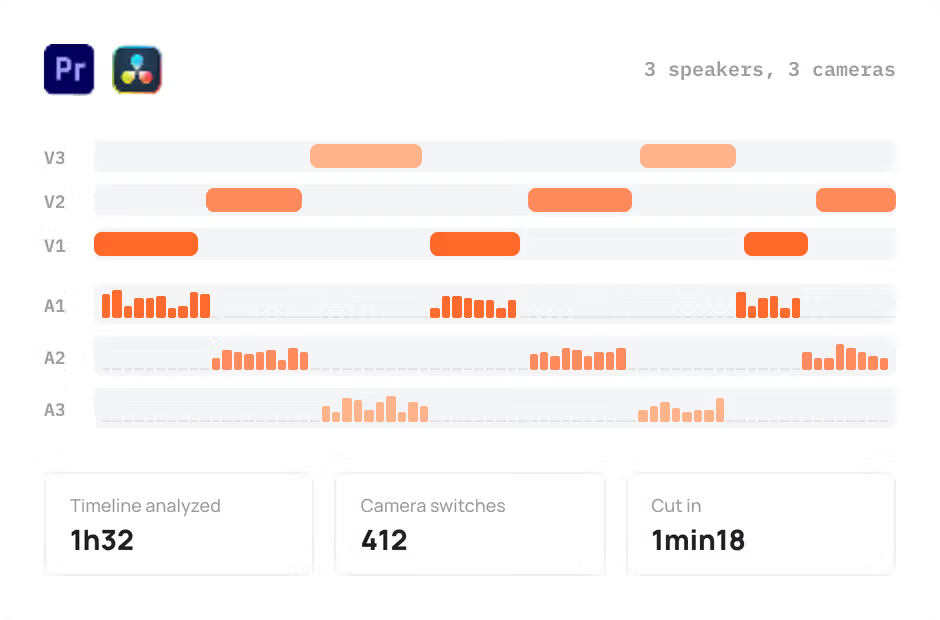
AutoCut Podcast
AutoCut Podcast automates speaker recognition and camera switching for quick multicam podcast editing.
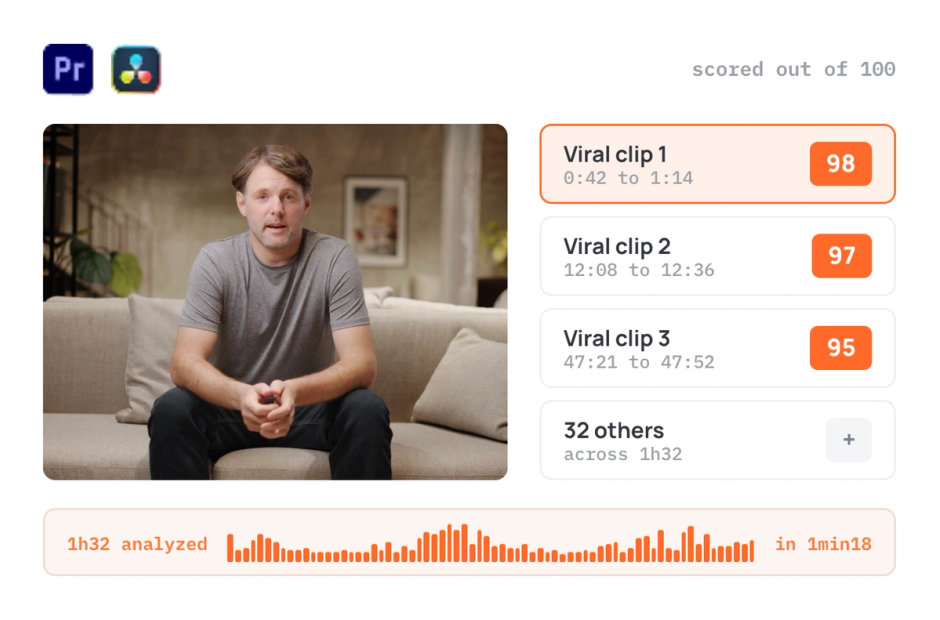
AutoViral
AutoViral identifies key segments in long videos for creating short-form content.
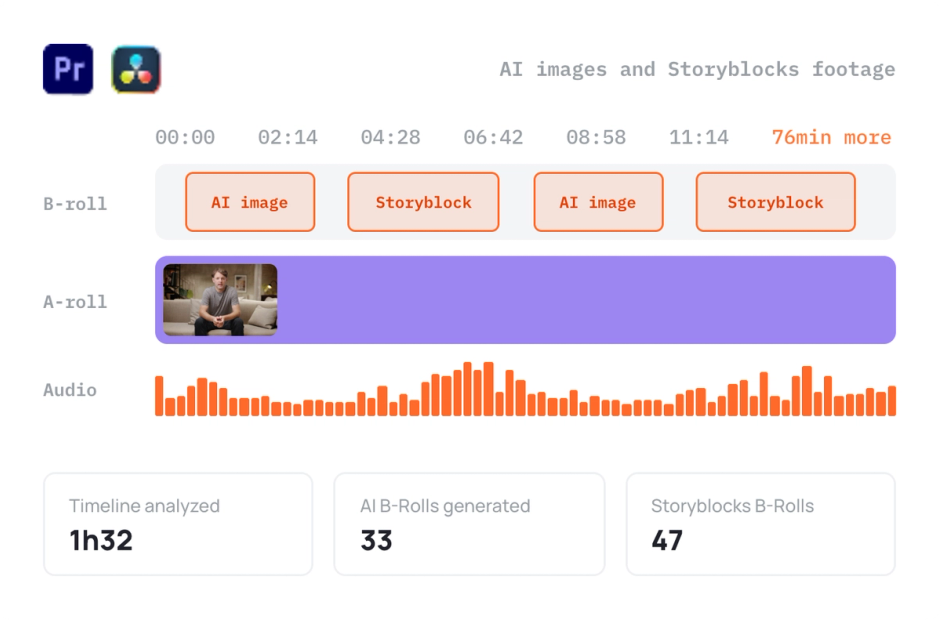
AutoB-Rolls
AutoB-Rolls uses AI to enrich your edits with perfectly integrated stock footage.
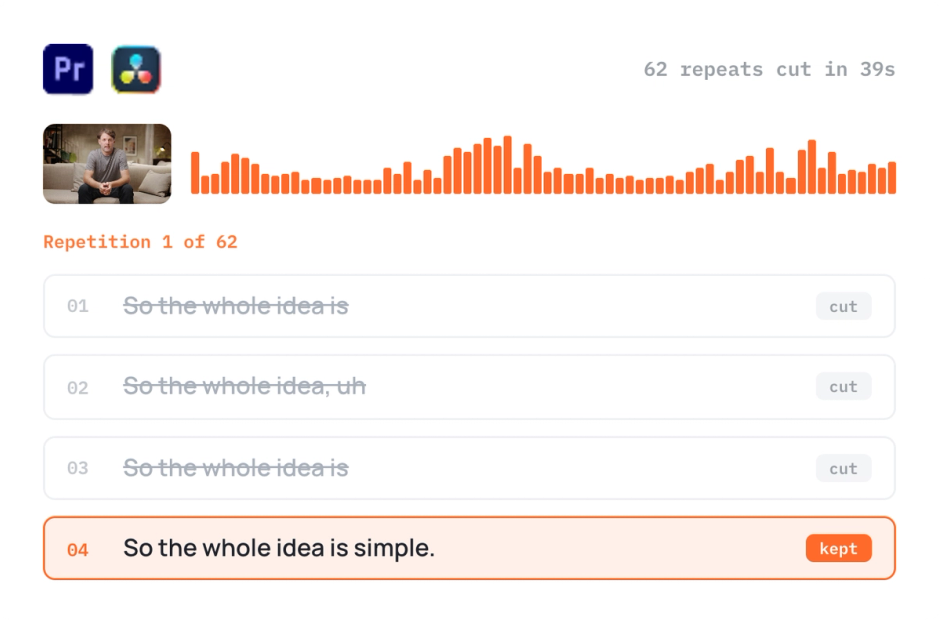
AutoCut Repeat
AutoCut Repeat identifies content repetitions and preserves only the best takes.
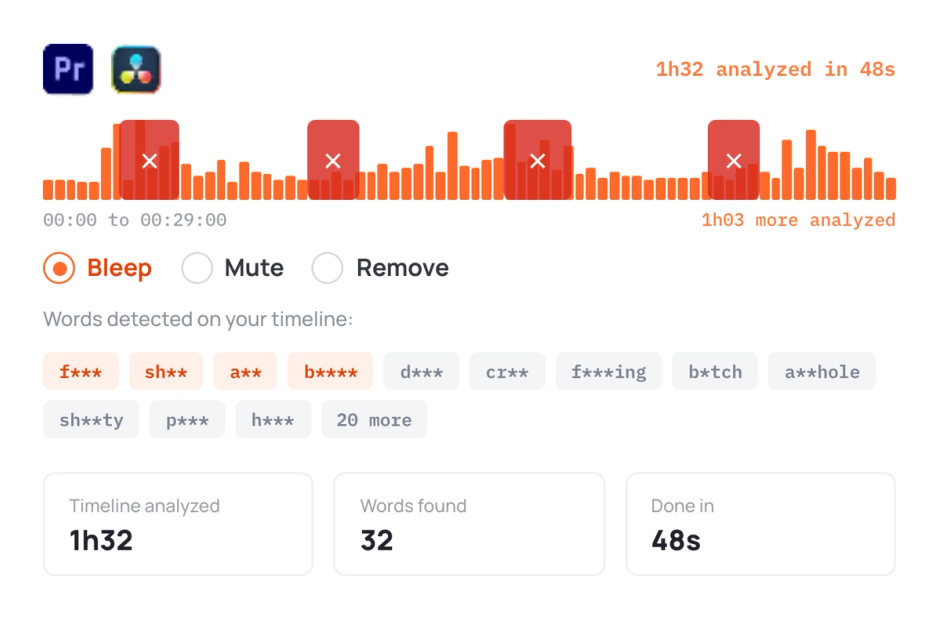
AutoProfanity Filter
AutoProfanity masks profanities with sound effects, ensuring content integrity.
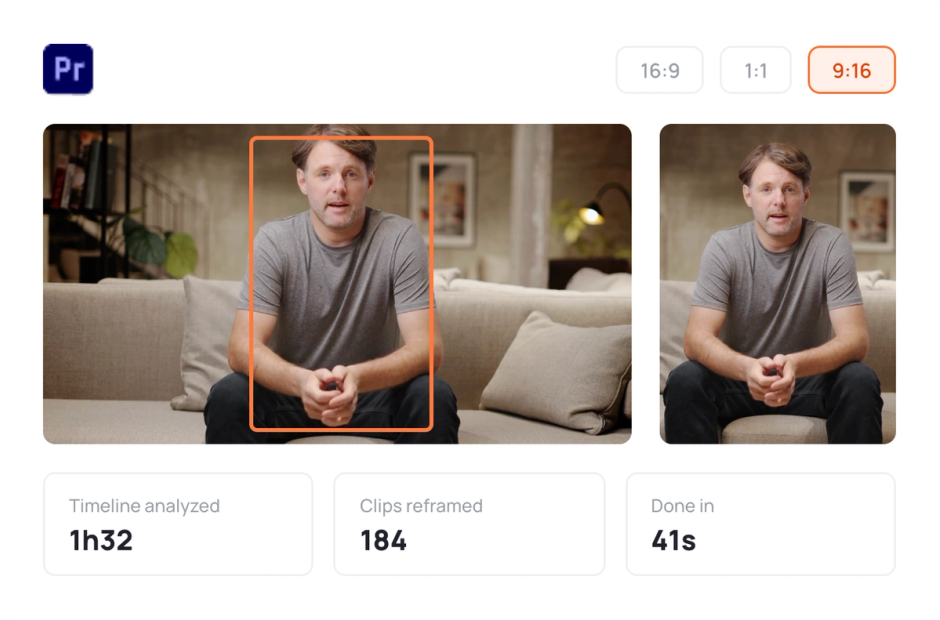
AutoResize
AutoResize adapts sequences to social formats, smartly keeping subjects centered.
Elevate your editing process with AutoCut now!