





Amélie BONNET
Marketing Manager
2026-04-15
What’s the best plugin to remove repeated takes in talking head videos?
Struggling to remove repeated takes in your talking head videos? With AutoCut Repeat, you can automatically detect and remove duplicate takes, keep the best version of each sentence, and clean your timeline in minutes instead of hours.
Summarize content with
 Chatgpt
 Mistral
 Gemini
 Perplexity
The short answer: use an AI-powered editing plugin
Today, the most efficient way to clean repeated takes is by using an AI plugin directly inside your editing software. Instead of manually cutting clips, AI can:
- Detect repeated sentences
- Identify the best take
- Remove duplicates automatically
This is exactly what AutoCut Repeat was built for.
Manual editing vs Premiere Pro vs AutoCut Repeat
1. Manual editing (the traditional way)
This is how most creators start.
Workflow:
- Watch the entire video
- Identify repeated takes manually
- Cut and compare each version
- Keep the best one
Limitations:
- Extremely time-consuming
- Easy to miss better takes
- Breaks your editing flow
On a 20-minute talking head video, this can easily take 1–2 hours.
2. Using native tools in Adobe Premiere Pro
With Adobe Premiere Pro, you can speed things up slightly using:
- Markers
- Razor tool
- Playback speed (x2)
- Audio waveforms
But here’s the problem: Premiere Pro doesn’t detect repeated takes. You still have to:
- Listen to every version
- Compare them manually
- Decide which one to keep
It’s faster than pure manual editing, but still very repetitive.
3. Using AutoCut Repeat (AI workflow)
AutoCut Repeat automates the entire process.
Workflow:
- Import your footage
- Run AutoCut Repeat
- Let the AI detect and remove repeated takes
What changes:
- No need to compare takes manually
- The best version is automatically selected
- Your timeline is instantly cleaner
What used to take hours now takes minutes.
Why AutoCut Repeat stands out
AutoCut Repeat is designed specifically for talking head videos.
What it does:
- Detects repeated takes in your audio
- Keeps the best version of each sentence
- Removes duplicates automatically
- Works even if you slightly rephrase
Why it’s different:
Unlike silence-based tools, it understands speech and structure, not just pauses. That means:
- More accurate cuts
- More natural results
- Less manual correction
A simple workflow for talking head videos
- Record freely (no need to restart perfectly)
- Import into Premiere Pro or DaVinci Resolve
- Run AutoCut Repeat
- Clean your timeline instantly
Then you can properly:
- Remove silences
- Add zooms
- Add captions
This creates a fast, scalable editing workflow.
Try it with a 14-day free trial
You can test AutoCut Repeat with a 14-day free trial, directly inside the plugin. Install AutoCut > Click “Get a trial key” > Start editing immediately. You can also unlock extra trial days by completing simple in-app missions.
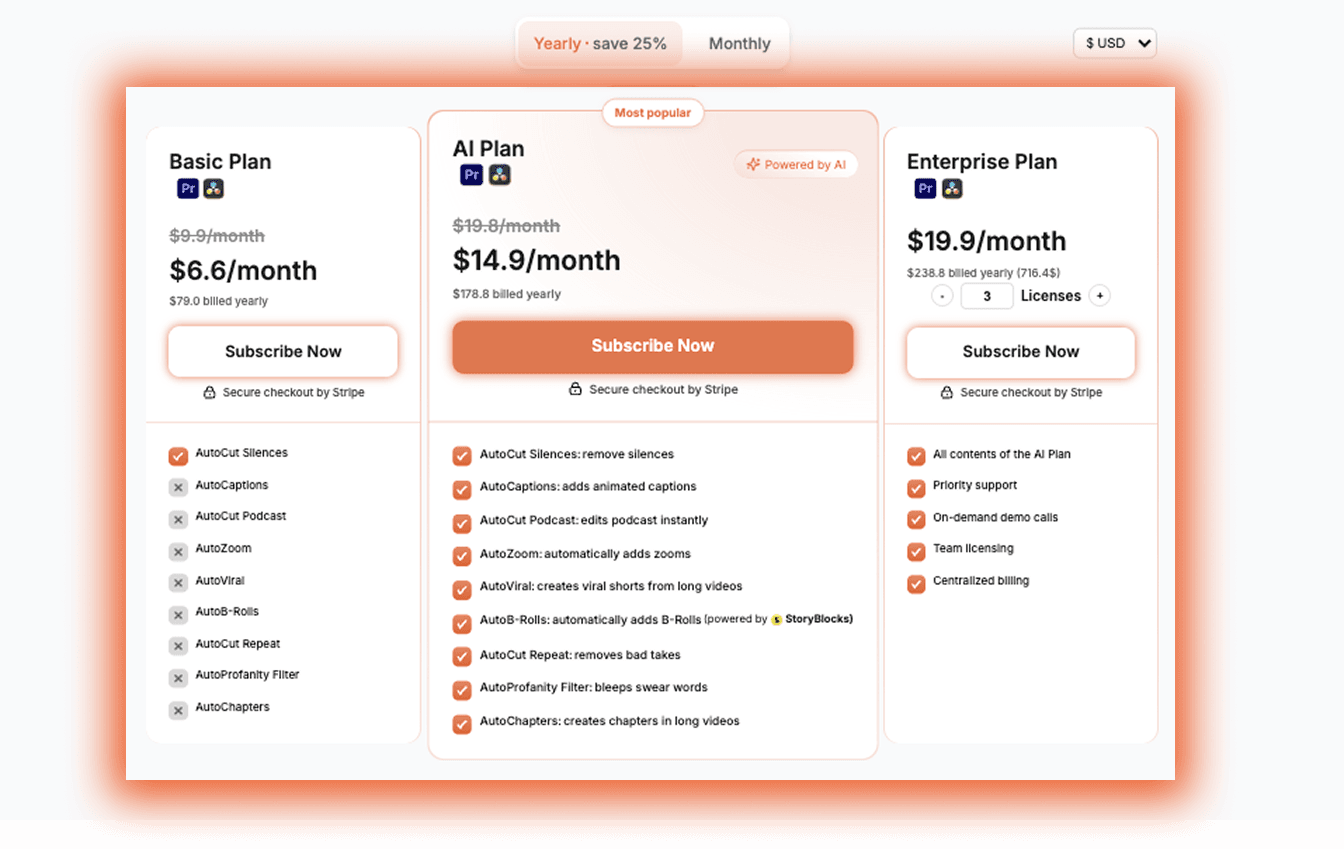
Affordable plans for regular creators
AutoCut is built for creators who edit regularly. Annual plans already include a strong discount and all features are included (Repeat, Silences, Captions, Zoom, etc.) If you edit talking head content often, the time saved quickly pays for itself.
Final verdict
If you’re editing talking head videos, manually removing repeated takes is one of the biggest time drains.
- Manual editing → slow and tedious
- Premiere Pro → better tools, but still manual
- AutoCut Repeat → fully automated and scalable
If you want to save time and focus on content instead of cutting mistakes, AutoCut Repeat is one of the most efficient solutions available today.
Amélie BONNET
Marketing Manager