




Myriam HINDERER
Chief Marketing & Communication Officer
2026-07-29
AutoCut July Updates: Meet AutoCut Angles & fully localized interfaces
Discover AutoCut’s July updates: meet AutoCut Angles, our new feature for automatically switching between multiple angles in single-speaker videos, plus fully localized Arabic, Turkish, and Polish interfaces.
Summarize content with
 Chatgpt
 Mistral
 Gemini
 Perplexity
Meet AutoCut Angles: automatically edit multi-angle solo videos
AutoCut Angles is available to everyone starting today
Editing a single-speaker video with multiple camera angles usually means manually deciding when to switch from one shot to another throughout the entire timeline.
AutoCut Angles automates that process.
Give AutoCut multiple video tracks and one audio track, and AutoCut Angles automatically creates an edited sequence by switching between the available visual angles throughout your video.
For example, your timeline could include:
- Track 1: your main camera
- Track 2: a second camera angle
- Track 3: a close-up or zoomed version of your footage
- One audio track
AutoCut Angles uses these different tracks to build a dynamic edit automatically, saving you from manually cutting and switching between shots throughout the entire video.
It’s designed specifically for single-speaker content, making it ideal for facecam videos, presentations, conferences, tutorials, educational content, interviews focused on one speaker, and long-form YouTube videos.
You get a ready-to-refine edit directly in your timeline while keeping control over the final result.
You don’t need multiple cameras
Multiple angles don’t necessarily mean multiple cameras.
Your video tracks can come from different cameras, but you can also use different crops, framings, or zoom levels of the same footage.
For example, your main track could show a wider facecam shot while additional tracks use tighter crops or zoomed-in versions of the same recording.
AutoCut Angles can switch between them automatically to add visual variety and make a single-speaker video feel more dynamic without requiring a complex multicamera recording setup.
This makes it especially useful for solo creators and video editors working with talking-head content.
Control which angles are prioritized
Automation doesn’t mean giving up control over your edit.
With track priority management, you can define which video tracks should be favored when AutoCut generates the sequence.
Your main camera can remain the dominant shot, while secondary angles, close-ups, or alternative framings are introduced throughout the video to create visual variety.
AutoCut handles the repetitive switching. You keep control of the creative direction.
AutoCut Angles vs. AutoCut Podcast: which one should you use?
AutoCut now offers two different approaches to automated multi-camera editing, depending on the type of content you’re creating.
AutoCut Podcast is built for content with multiple speakers. It detects who is speaking and automatically switches between cameras accordingly, making it ideal for podcasts, interviews, and conversations.
AutoCut Angles is designed for single-speaker content with multiple visual angles. Instead of choosing cameras based on speaker detection, it creates visual variety by switching between different tracks, camera angles, crops, or zoom levels.
Multiple speakers? AutoCut Podcast.
One speaker, multiple angles? AutoCut Angles.
Try AutoCut Angles for free
AutoCut Angles is available to all AutoCut users starting today.
If you’re new to AutoCut, you can also try it as part of our 14-day free trial, with no credit card required.
The free trial gives you access to all AutoCut features, so you can test AutoCut Angles alongside AutoCut Silences, AutoCaptions, AutoCut Podcast, AutoZoom, AutoViral, and the rest of the AutoCut toolkit directly in your editing workflow.
AutoCut Is now fully available in Arabic
AutoCut already supported Arabic for AI-powered tasks such as transcription, captions, and translation.
Now, we’re going much further.
The entire AutoCut interface is available in Modern Standard Arabic (MSA) and this isn’t just a translated interface.
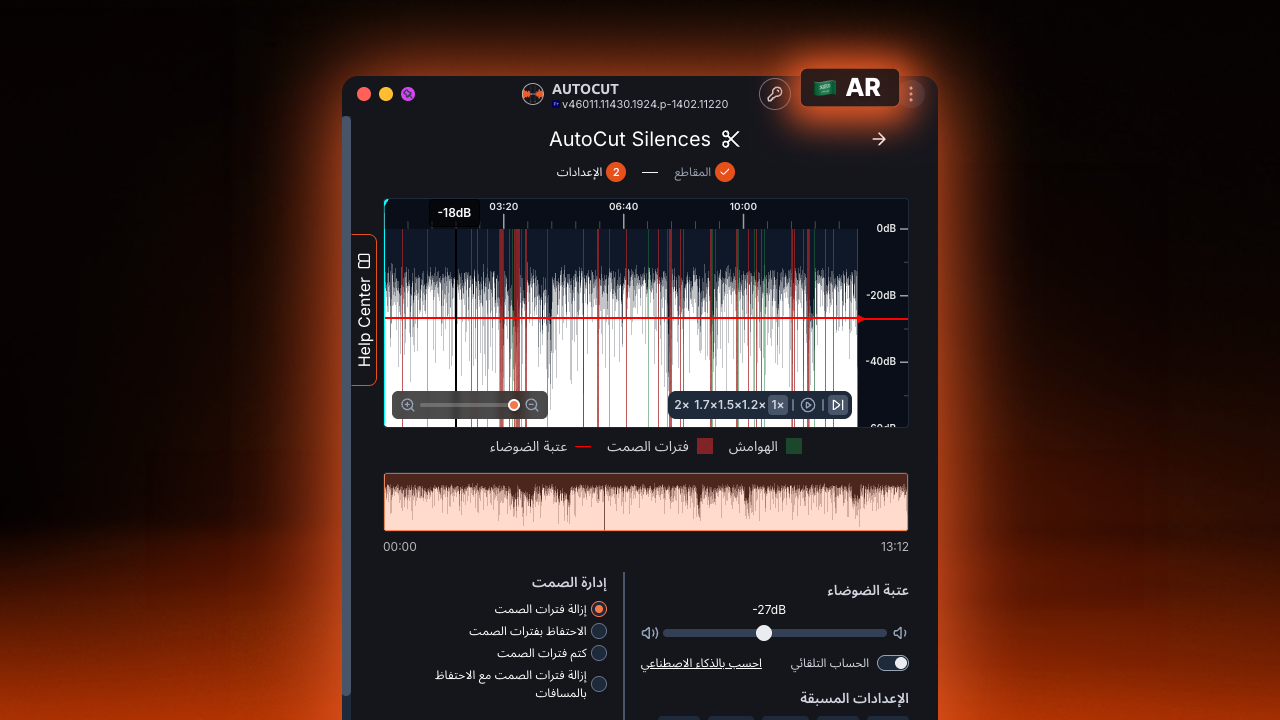
Built for Arabic, not just translated into Arabic
The AutoCut interface has been fully adapted for right-to-left (RTL) reading and navigation to create an experience that feels natural for Arabic-speaking video editors.
Menus, dialogs, settings, feature controls, navigation, and interface elements have been carefully adapted around Arabic reading habits.
The result is an AutoCut experience that doesn’t simply display Arabic text — it is designed to be used in Arabic.
Arabic-speaking editors can now navigate AutoCut and use its AI-powered video editing tools within a fully localized experience, whether they’re removing silences, generating animated captions, editing podcasts, adding zooms, or creating short-form content.
AutoCut is now fully available in Turkish and Polish
Turkish and Polish aren’t new to AutoCut either. Both languages were already supported across AI-powered capabilities such as transcription, automatic captions, and translation.
What changes now is the rest of the experience.
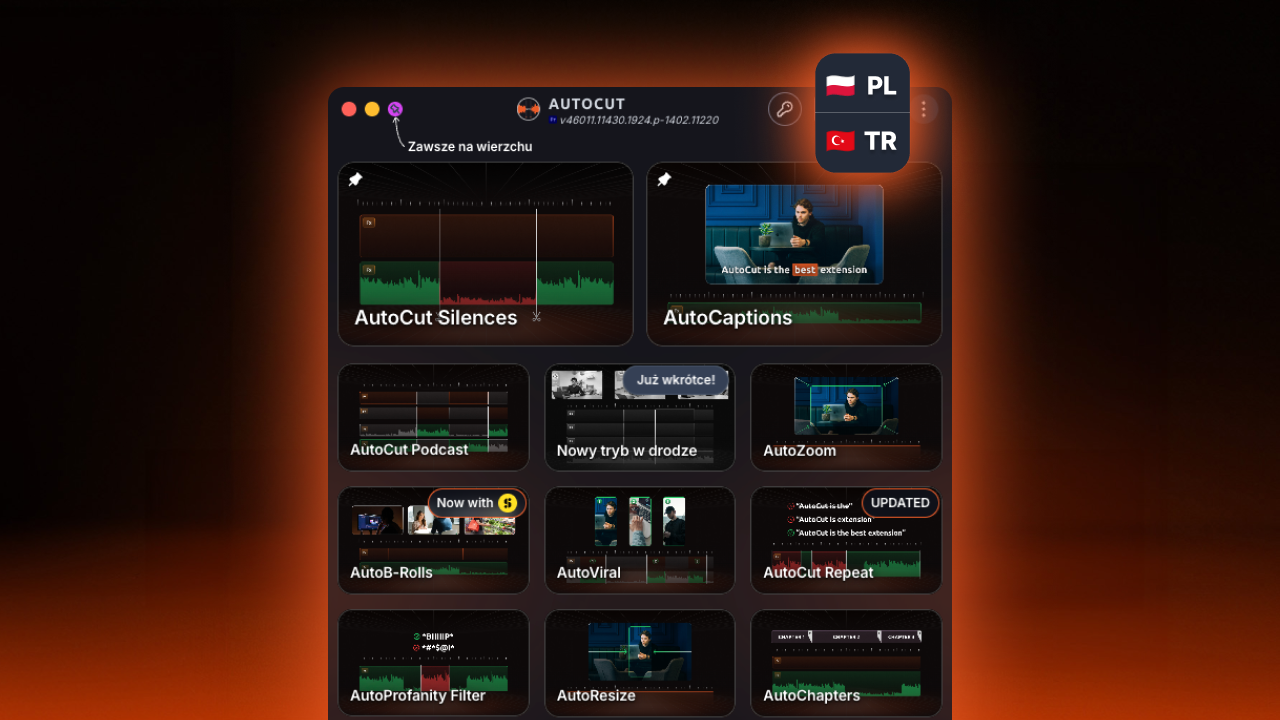
The complete AutoCut interface is now available in Turkish and Polish.
Menus, settings, dialogs, feature names, and controls have been translated so Turkish and Polish-speaking editors can navigate AutoCut in their own language from start to finish.
Whether you’re removing pauses, generating captions, editing podcasts, adding automatic zooms, or turning long-form videos into short clips, the AutoCut interface can now remain in Turkish or Polish throughout your workflow.
These fully localized interfaces also respond to one of the improvements most requested by our Turkish and Polish communities.
AutoCut now automatically detects your language
With July’s localization improvements comes another change designed to make getting started with AutoCut easier.
AutoCut can now automatically detect your operating system language when it launches.
If your operating system uses a language supported by the AutoCut interface, AutoCut automatically opens in that language.
No manual setup required.
If the detected language isn’t currently available as a fully localized interface, AutoCut automatically falls back to English.
It’s a simple change, but an important one as we continue making AutoCut more accessible to video editors worldwide.
Making video editing faster, everywhere
With fully localized interfaces and AutoCut Angles, July’s updates make AutoCut more accessible and automate even more repetitive editing tasks.
Different updates, same mission: spend less time on repetitive editing and more time creating.
Try the July Updates
Already using AutoCut? Update and explore what’s new.
New to AutoCut? Start your 14-day free trial, no credit card required, with access to all AutoCut features, including AutoCut Angles.
Myriam HINDERER
Chief Marketing & Communication Officer