
 AutoCaptions
 AutoCut Silences
 AutoCut Podcast
 AutoCut Angles
 AutoZoom
 AutoViral
 AutoB-Rolls
 AutoCut Repeat
 AutoProfanity Filter
 AutoChapters
 AutoResize
 Help Center
 Blog
Blog Discord
 YouTube
 Ambassador
Myriam HINDERER
Chief Marketing & Communication Officer
2026-07-03
AutoCut June 2026 Updates: Faster AI, new UI & smarter editing
Explore the latest AutoCut improvements for Premiere Pro and DaVinci Resolve, including faster AI processing, a redesigned interface, and a more personalized editing experience.
Summarize content with
 Chatgpt
 Mistral
 Gemini
 Perplexity
AutoCut Silences: A brand-new interface
Our most-used feature just got a complete redesign.
The new AutoCut Silences interface is more visual, more intuitive, and easier to use, helping you remove silences faster while giving you a clearer view of your edits.
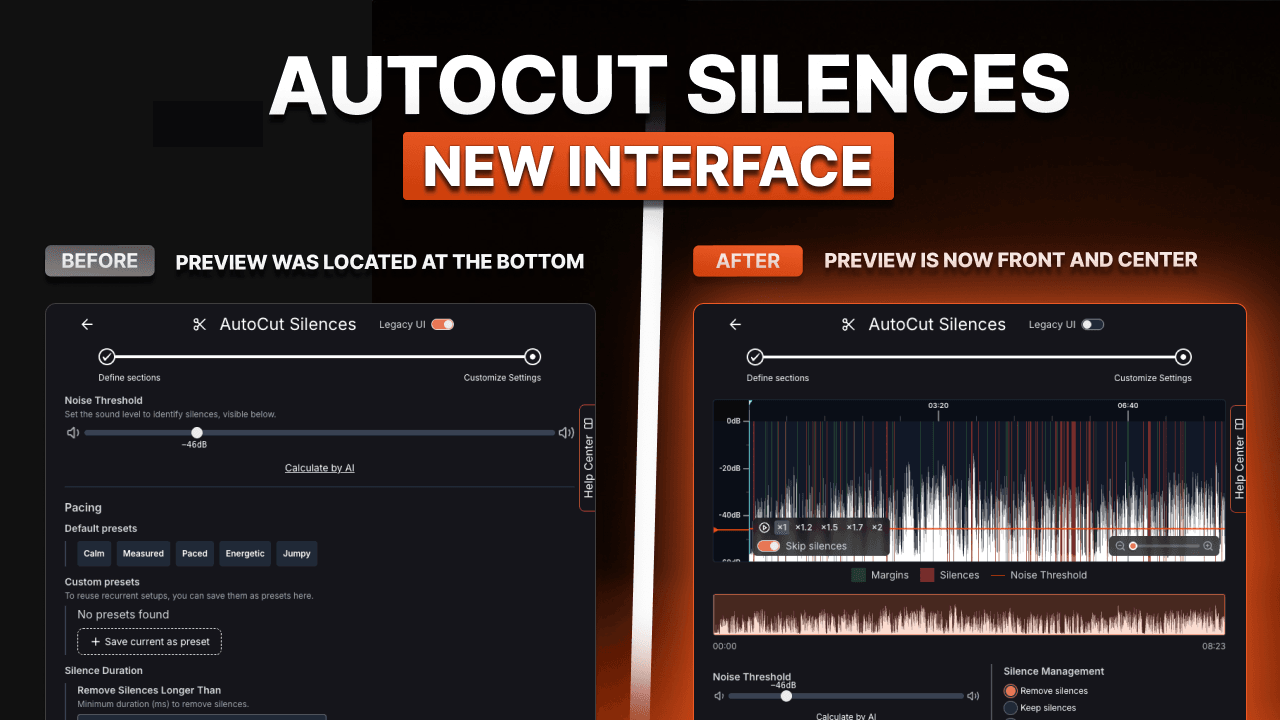
What's new?
- Larger preview area
- Cleaner interface
- Better settings visibility
- Easier navigation
The preview is now front and center as soon as you open AutoCut Silences, making it easier to review your edits before applying them.
Previously available as an optional beta, this new interface is now enabled by default for all users.
Experience the new UI today :
Up to 9× faster audio analysis
Behind the scenes, we've rebuilt and optimized key parts of AutoCut's AI engine.
Audio analysis is now up to 9× faster in:
- AutoCut Silences
- AutoCut Podcast
- AutoZoom
Whether you're editing a YouTube video, an interview, or a long-form podcast, your projects now analyze much faster, making your editing workflow smoother than ever.
Spend less time waiting and more time creating.
Up to 59× faster transcription
One of the biggest improvements this month is our brand-new transcription engine.
AutoCut can now generate transcripts up to 59× faster, dramatically accelerating every transcript-based workflow.
This improvement benefits:
- AutoCaptions
- AutoChapters
- AutoCut Podcast
- Subtitle translations
- Every transcript-based AI feature
We also optimized how data is exchanged during processing, making AutoCut feel significantly faster,even on slower internet connections.
Generate captions, transcripts, and translations faster than ever.
Introducing the XP & Ranking System
Editing with AutoCut is now even more rewarding.
Every action you perform inside the plugin earns XP, allowing you to progress through different creator ranks as you continue editing.
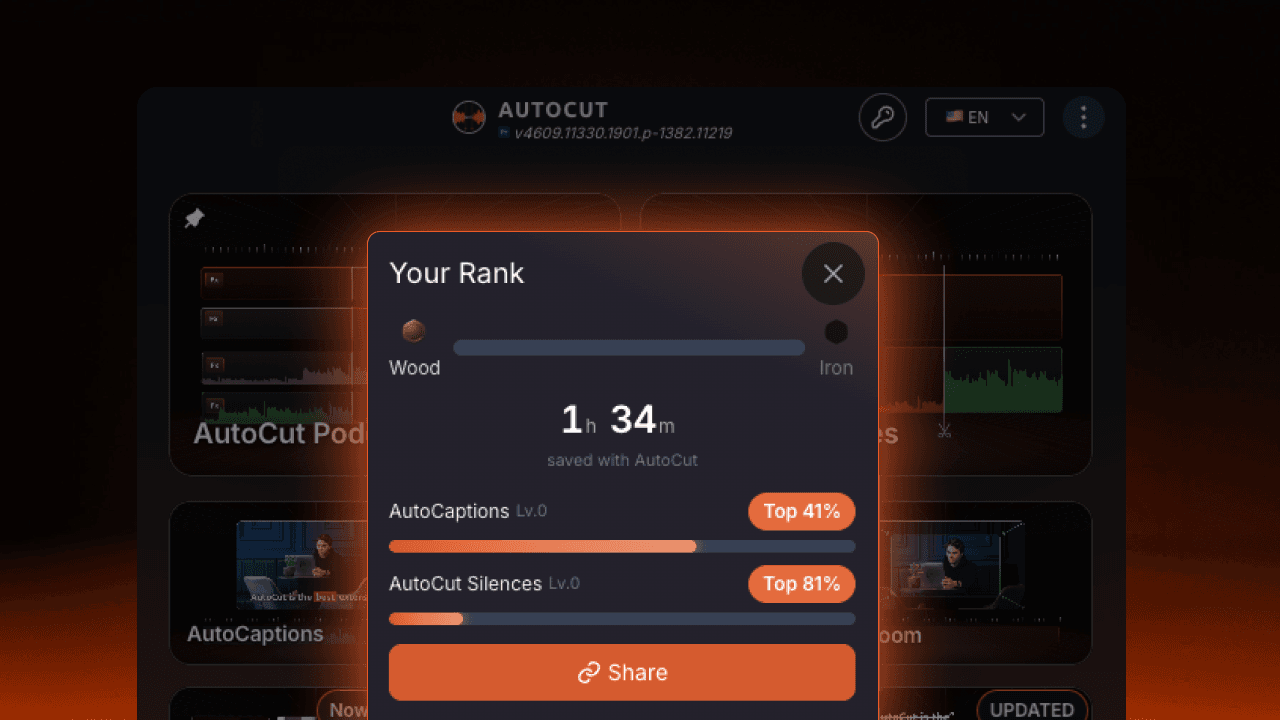
Your AutoCut profile now highlights:
- Your current rank
- Your estimated time saved
- Your favorite AutoCut features
We've also completely redesigned our time-saving calculations to provide a much more accurate estimate of the hours, days, and weeks you've saved with AutoCut.
It's a simple way to visualize the real impact AI has on your editing workflow.
Keep editing, level up, and see how much time you're saving.
A new homepage experience
We've redesigned the AutoCut homepage to make the plugin cleaner, faster, and easier to navigate.
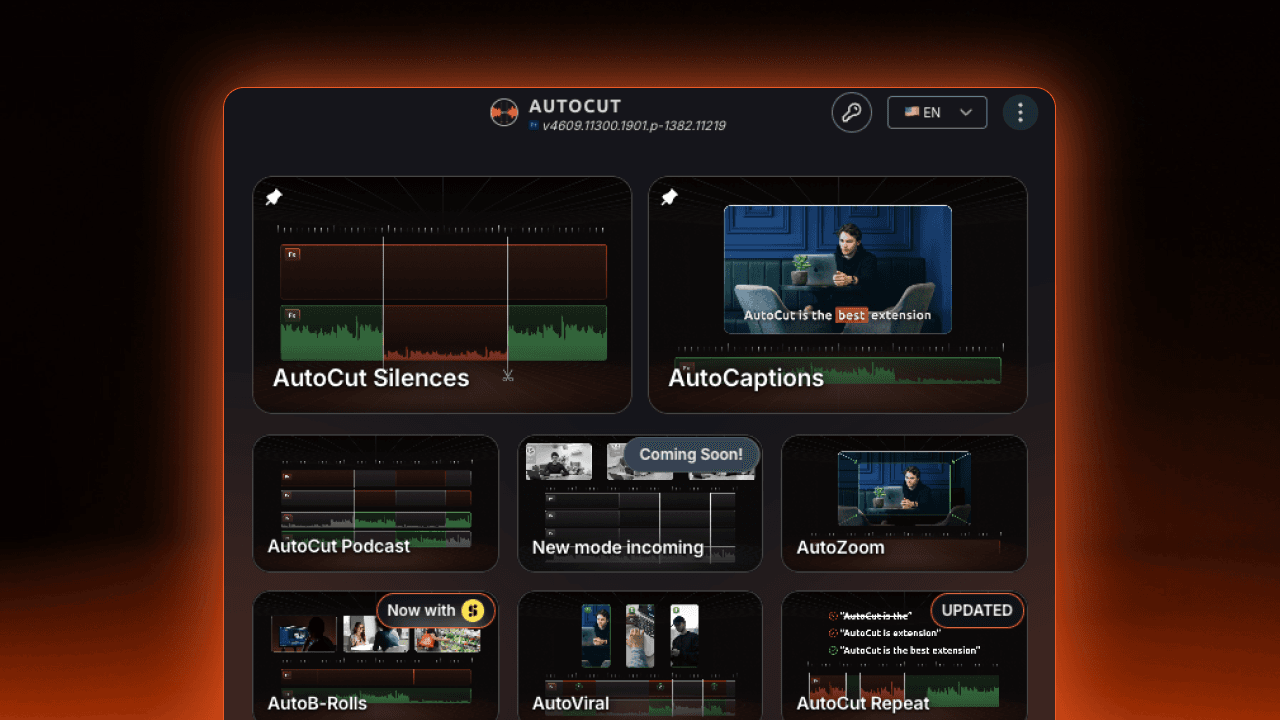
New this month:
- A more modern and visual interface
- Pin your 2 favorite AutoCut modes for instant access
- Faster access to our customer support and help center
The new homepage adapts to the way you edit, giving you quicker access to the features you use most.
Whether you're using AutoCut Silences, AutoCaptions, or AutoCut Podcast, your favorite tools can now stay right at the top.
And of course, you can still access the latest AutoCut product updates anytime through the integrated changelog.
Available now
All June updates are now available for every AutoCut user.
Myriam HINDERER
Chief Marketing & Communication Officer