


































I do a lot of podcast editing and this saves me a lot of time. Plus it was really easy to install and get going.Read on Capterra

The AI video editing plugin for Premiere Pro & DaVinci Resolve
Remove silences and add captions without leaving your video editor.
14-day free trial • No credit card required • All features included


Trusted by editors from leading companies
Real customer reviews
What editors say about AutoCut
Has saved me countless hours of editing! Thank you AutoCut! Resolve integration is amazing and it gives me all the control I need.

Nathan Reeves
The interface is intuitive, and the automation features save a significant amount of time in the workflow.

João V.
Videomaker
AutoCut saves me hours of editing with accurate silence removal, captions, and automatic cuts.

Shivesh K.
Video editor
Saves you so much time... It's the go-to if you edit long videos regularly (even daily)

David Gárate
My overall experience has been fantastic. It seamlessly integrates into Premiere Pro/DaVinci workflows and handles heavy lifting for repetitive editing tasks.

Sherif H.
Senior video editor & motion designer
Excelent! it saves you a lot of time, the autosubs feature and the autocut are aexcelntt

Henry Alvarez
AutoCut significantly reduces editing time by automating repetitive cuts and silence removal.

Levent K.
IT Manager
I've been using this for just a couple of days and it has sped up my workflow. I'm eager to continue using it.

Daniel Puente Jaramillo
loved autocut siliences and auto caption features because both took me hours to do it manually for my reel videos.

Elden J.
Performance marketing
I really appreciate the effort your team puts into continuously improving AutoCut and making the editing experience easier and faster for creators.

alaa elhawy
It's speed of the functions is great - definitely saves me time. Also with so many different features it makes it good value for money.

Anand D.
Founder, Media Production
I do a lot of podcast editing and this saves me a lot of time. Plus it was really easy to install and get going.


Eric L.
Head creative
Has saved me countless hours of editing! Thank you AutoCut! Resolve integration is amazing and it gives me all the control I need.

Nathan Reeves
The interface is intuitive, and the automation features save a significant amount of time in the workflow.

João V.
Videomaker
AutoCut saves me hours of editing with accurate silence removal, captions, and automatic cuts.

Shivesh K.
Video editor
Saves you so much time... It's the go-to if you edit long videos regularly (even daily)

David Gárate
My overall experience has been fantastic. It seamlessly integrates into Premiere Pro/DaVinci workflows and handles heavy lifting for repetitive editing tasks.

Sherif H.
Senior video editor & motion designer
Excelent! it saves you a lot of time, the autosubs feature and the autocut are aexcelntt

Henry Alvarez
AutoCut significantly reduces editing time by automating repetitive cuts and silence removal.

Levent K.
IT Manager
I've been using this for just a couple of days and it has sped up my workflow. I'm eager to continue using it.

Daniel Puente Jaramillo
loved autocut siliences and auto caption features because both took me hours to do it manually for my reel videos.

Elden J.
Performance marketing
I really appreciate the effort your team puts into continuously improving AutoCut and making the editing experience easier and faster for creators.

alaa elhawy
It's speed of the functions is great - definitely saves me time. Also with so many different features it makes it good value for money.

Anand D.
Founder, Media Production
I do a lot of podcast editing and this saves me a lot of time. Plus it was really easy to install and get going.

Eric L.
Head creative
Has saved me countless hours of editing! Thank you AutoCut! Resolve integration is amazing and it gives me all the control I need.

Nathan Reeves
The interface is intuitive, and the automation features save a significant amount of time in the workflow.

João V.
Videomaker
AutoCut saves me hours of editing with accurate silence removal, captions, and automatic cuts.

Shivesh K.
Video editor
Saves you so much time... It's the go-to if you edit long videos regularly (even daily)

David Gárate
My overall experience has been fantastic. It seamlessly integrates into Premiere Pro/DaVinci workflows and handles heavy lifting for repetitive editing tasks.

Sherif H.
Senior video editor & motion designer
Excelent! it saves you a lot of time, the autosubs feature and the autocut are aexcelntt

Henry Alvarez
AutoCut significantly reduces editing time by automating repetitive cuts and silence removal.

Levent K.
IT Manager
I've been using this for just a couple of days and it has sped up my workflow. I'm eager to continue using it.

Daniel Puente Jaramillo
loved autocut siliences and auto caption features because both took me hours to do it manually for my reel videos.

Elden J.
Performance marketing
I really appreciate the effort your team puts into continuously improving AutoCut and making the editing experience easier and faster for creators.

alaa elhawy
It's speed of the functions is great - definitely saves me time. Also with so many different features it makes it good value for money.

Anand D.
Founder, Media Production
10 tools. One faster editing workflow.
From rough cuts and captions to podcast switching and social clips, AutoCut handles repeatable steps without pulling you out of the edit.
AutoCaptions
Publish-ready captions without the manual timing
Generate, style, and translate animated captions without leaving your edit.
AutoCut Silences
Tighter cuts without trimming every pause
Detect and remove dead air automatically, so your video keeps moving.
AutoCut Podcast
A faster first pass for multicam edits
Detect speakers and switch camera angles automatically, so your multicam edit starts further ahead.
AutoZoom
More movement without manual keyframes
Add smooth, well-timed zooms automatically to keep talking-head edits moving.
AutoViral
Find the strongest moments in long videos and turn them into short clips ready to refine.
AutoB-Rolls
Add relevant AI images and Storyblocks footage directly to your timeline.
AutoCut Repeat
Detect repeated takes and keep the best version without scrubbing through every attempt.
AutoProfanity Filter
Find profanity and bleep, mute, or remove it across your timeline.
AutoChapters
Generate YouTube-ready chapters with timestamps, ready to copy and paste.
AutoResize
Reframe sequences for social formats while keeping your subject centered.
AutoCaptions
Publish-ready captions without the manual timing
Generate, style, and translate animated captions without leaving your edit.
AutoCut Silences
Tighter cuts without trimming every pause
Detect and remove dead air automatically, so your video keeps moving.
AutoCut Podcast
A faster first pass for multicam edits
Detect speakers and switch camera angles automatically, so your multicam edit starts further ahead.
AutoZoom
More movement without manual keyframes
Add smooth, well-timed zooms automatically to keep talking-head edits moving.
AutoViral
Find the strongest moments in long videos and turn them into short clips ready to refine.
AutoB-Rolls
Add relevant AI images and Storyblocks footage directly to your timeline.
AutoCut Repeat
Detect repeated takes and keep the best version without scrubbing through every attempt.
AutoProfanity Filter
Find profanity and bleep, mute, or remove it across your timeline.
AutoChapters
Generate YouTube-ready chapters with timestamps, ready to copy and paste.
AutoResize
Reframe sequences for social formats while keeping your subject centered.
Stay in your timeline from first cut to final export.
AutoCut works directly inside Premiere Pro and DaVinci Resolve. No bouncing files between apps. No re-imports. No quality loss—just one continuous workflow.
14-day free trial • No credit card required • All features included
Stay in your timeline, from first cut to export.
AutoCut runs inside Premiere Pro and DaVinci Resolve. No bouncing files between apps.
| Workflow | Other tools | |
|---|---|---|
| Works inside your editor | ||
| No export, no re-import | ||
| Original quality preserved | ||
| One continuous workflow | ||
| New AI features weekly |
14-day free trial • No credit card required • All features included
- Export your video to another app
- Wait for processing, then re-import
- Risk quality loss between exports
- Jump between disconnected tools
- Wait on someone else’s roadmap

- Works inside Premiere Pro and DaVinci Resolve
- No export or re-import
- Your source quality stays intact
- One plugin, one continuous workflow
- New AI improvements every week
Video reviews
See AutoCut in real editing workflows
Watch professional editors put AutoCut to work and explain where it saves them time.
Video reviews
See AutoCut in real editing workflows
Pro editors show where it saves them time.
Pricing
Choose the plan that fits your workflow
Compare plans based on how much you edit. Clear pricing, no hidden fees.
FAQ
Questions before you download?
Get clear answers on compatibility, licenses, usage limits, and cancellation.
AutoCut supports Premiere Pro 2023–2026 and DaVinci Resolve 18.6 or later. Both DaVinci Resolve Free and Studio are supported. Follow our step-by-step tutorial here.
Yes, but only on one computer at a time. Before switching, unlink the current computer from your license in your AutoCut customer area.
No. AutoCut has no time limit for video projects, so you can use it on both short and long edits. Automated safeguards prevent abuse, but normal editing workflows are unaffected.
Yes. Every AutoCut feature works with both DaVinci Resolve Free and Studio.
Yes. Cancel anytime from your customer area. You can resubscribe whenever you need AutoCut again.
About AutoCut
Meet the people building AutoCut
We’re a French team of video-editing enthusiasts building AutoCut alongside the editors who use it. Your feedback helps shape what we improve next.

Blog
Edit faster with practical guides
Explore AutoCut tutorials, product updates, and workflow ideas you can use in your next edit.

Tutorial
2026-09-14
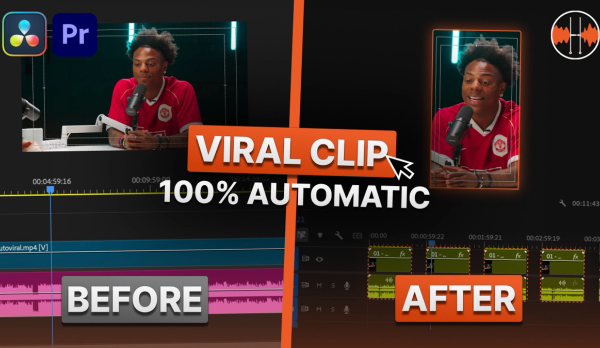
How to Turn a Podcast into Viral Clips Automatically with AutoCut AutoViral
Learn how to turn a full podcast or long form video into dozens of TikTok and Reels ready clips in just a few clicks with AutoCut AutoViral. Step by step tutorial covering AI clip detection, the viral score, and automatic vertical resizing.

Tutorial
2026-08-28
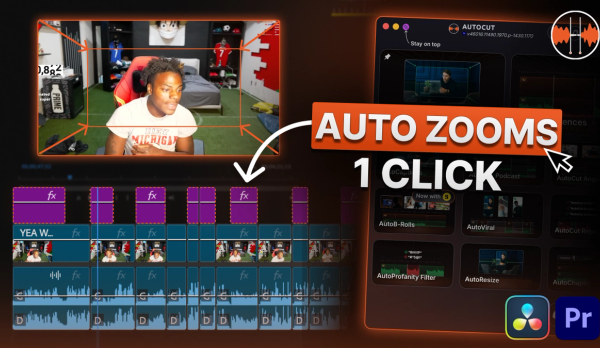
How to Add Automatic Dynamic Zooms to Your Videos with AutoCut AutoZoom (2026 Update)
Learn how to add dynamic, perfectly synced zooms to your entire video automatically with AutoCut AutoZoom. This update covers the new Highlight Meaning AI, custom zoom sounds, and simulated camera movement.

News
2026-08-18
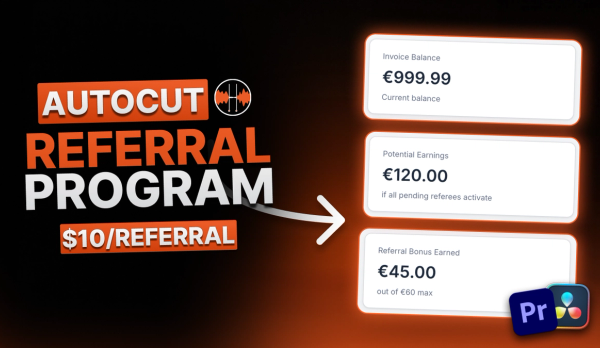
How to Get Free Months of AutoCut with the Referral Program
Discover how to earn free months of AutoCut just by sharing your personal referral link. Invite a friend, they activate their free trial, and you both get rewarded.
Try AutoCut. 14 days free.
Less repetitive editing. More time to create.
No credit card required